Templates
Roles with access
- Access to the section: advanced, manager, and administrator roles (not the user role).
- «Duplicate Template»: advanced, manager, and administrator roles (not the user role).
Depends on the administration
- The maximum number of templates is set by the user's, group's or category's quota, in Quotas and limits.
- The administration can enable or disable any template and change its permissions from Templates (administration). A template only appears in New desktop for other users if it is visible and shared with them, their group, their category or their role.
Video: page walkthrough
A template is a preconfigured desktop. Its disk cannot be modified, so it cannot be started as a desktop, but its parameters can be customized to meet the needs of each user.
Templates are designed to be shared with other users so they can create their own desktops.
This is an example illustrating the relationship between templates and disks:
1. A desktop is created with the storage disk D1.
graph LR
  dt1(Desktop):::dt -.- dk1([D1]):::dk
  classDef dk fill:#ffd1dc,stroke:#ff3465,stroke-width:1px
  classDef dt stroke-width:2px
2. Next, a template is created from this desktop. When creating the template, the disk D1 will be associated with the new template. At the same time, a copy of D1 is made and named D1'. This copied disk will be used by the original desktop in the future, so any changes made to the original disk will not affect it.
graph LR
  dt1(Desktop):::dt -.- dk1([D1']):::dk;
  dt1 --> tp1(Template):::tp
  tp1 -.- dk2([D1]):::dk
  classDef dk stroke:#ff3465,fill:#ffd1dc,stroke-width:1px
  classDef dt stroke-width:2px
  classDef tp stroke:#30d200,fill:#cdffbe,stroke-width:2px
3. If a new desktop is created from this template, a new disk D2 is created for the new desktop. This disk D2 contains the changes that will be made to the desktop relative to the template disk D1. In other words, D2 is linked to D1, and the desktop will retrieve its information from D1 when it starts.
That is, D2 only contains the changes made to D1 that are relevant to the new desktop, and the two disks remain connected to each other.
graph LR
  dt1(Desktop):::dt -.- dk1([D1']):::dk;
  dt1 --> tp1(Template):::tp
  tp1 -.- dk2([D1]):::dk
  tp1 --> dt2(Desktop):::dt
  dt2 -.- dk3([D2]):::dk
  dk3 -- depends on --> dk2
  classDef dk stroke:#ff3465,fill:#ffd1dc,stroke-width:1px
  classDef dt stroke-width:2px
  classDef tp stroke:#30d200,fill:#cdffbe,stroke-width:2px
4. When duplicating a template, no new disk is created. Instead, the new template uses the same disk D1 as the original template.
graph LR
  dt1(Desktop):::dt -.- dk1([D1']):::dk;
  dt1 --> tp1(Template):::tp
  tp1 -.- dk2([D1]):::dk
  tp1 --> tp2(Template):::tp
  tp2 -.- dk2
  classDef dk stroke:#ff3465,fill:#ffd1dc,stroke-width:1px
  classDef dt stroke-width:2px
  classDef tp stroke:#30d200,fill:#cdffbe,stroke-width:2px
Understanding the relationship between templates, desktops, and disks is important for better managing the virtual desktop infrastructure.

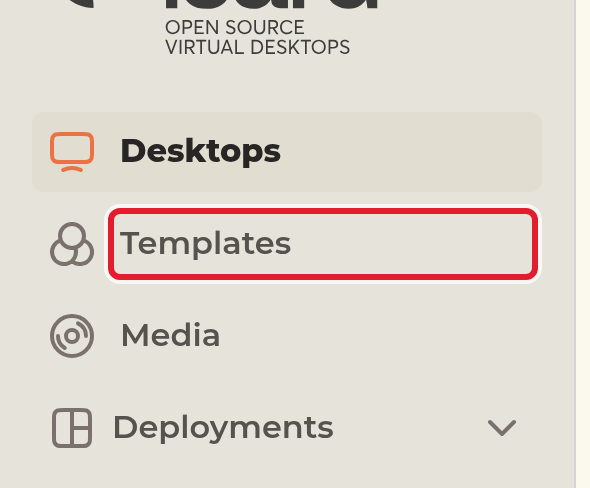
In the side menu, the section Templates.
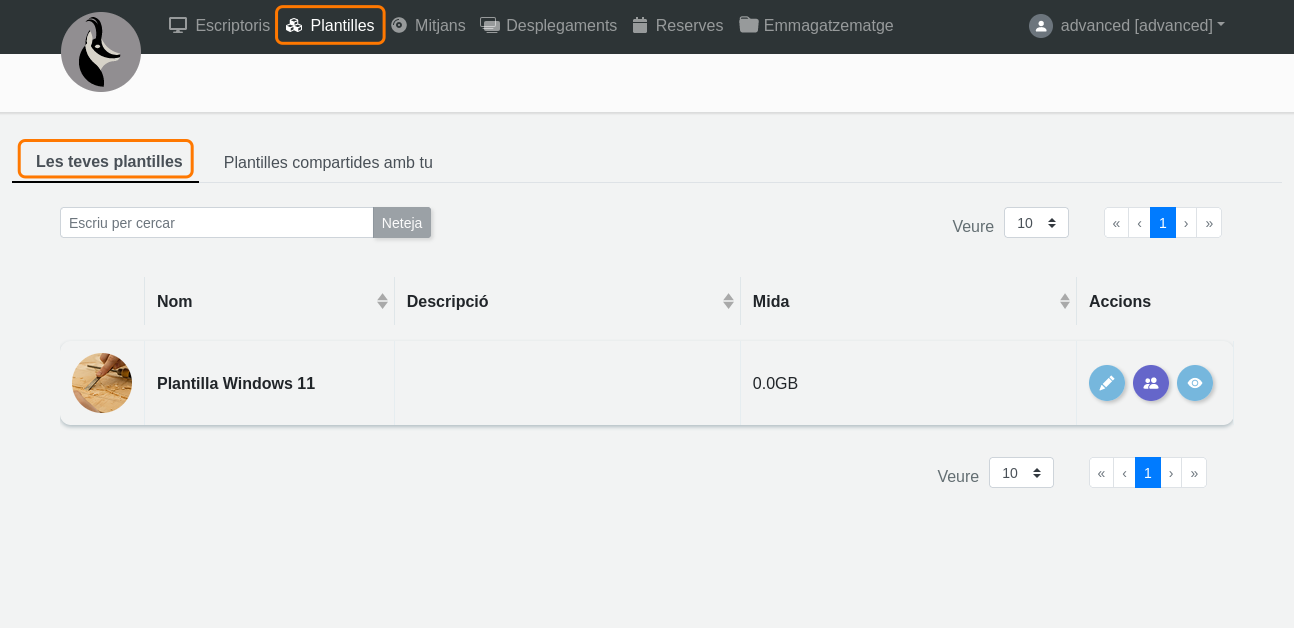
Your templates
To view the templates you have created, the user must navigate to the personal templates section.
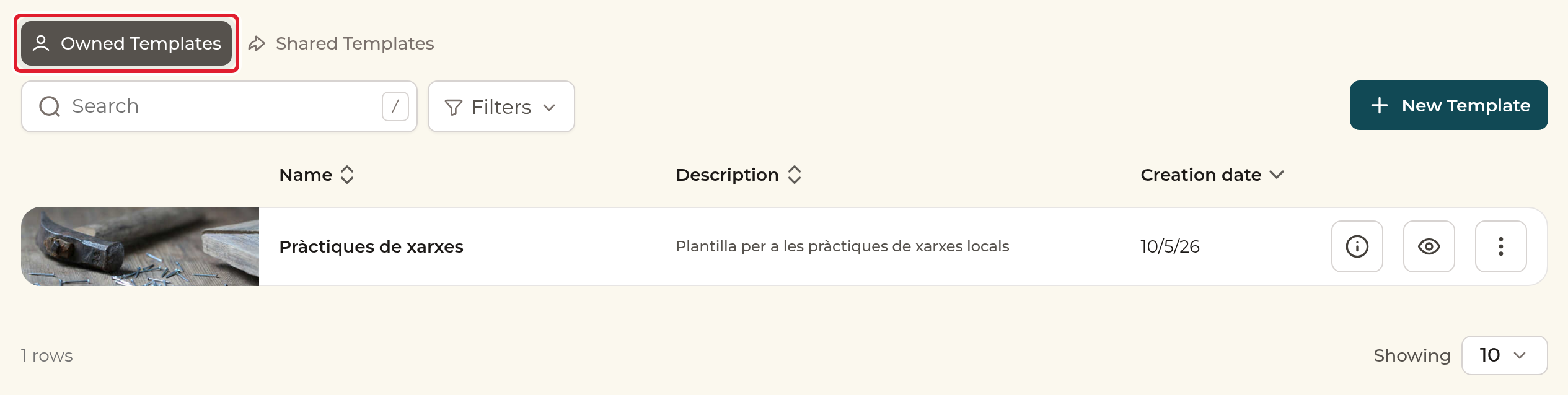
The Owned Templates tab shows your own templates. The New Template button opens the creation wizard (see «Create»).
The table displays the Creation date column and, by default, sorts the templates from newest to oldest. The order is changed by clicking the column header.
Development details
For those who develop or integrate IsardVDI: where each element of this section is located in the code, since which version it has been available, which API operation it calls, and what messages it may return.
- New interface · file
views/TemplatesView.vue:387· interface text (translation key)components.templates.no-desktops-modal.cancel- since v17.71.0 (2026-10-16,
943f8ae0e7) - on click:
noDesktopsModalOpen = false
- since v17.71.0 (2026-10-16,
- New interface · file
views/TemplatesView.vue:398· interface text (translation key)components.templates.no-desktops-modal.new-desktop- since v17.71.0 (2026-10-16,
943f8ae0e7) - on click:
() => { noDesktopsModalOpen = false handleWithDesktopQuotaCheck(() => router.push({ name: 'new-desktop' })) } - calls:
navigation to the «new-desktop» route
- since v17.71.0 (2026-10-16,
- New interface · file
views/TemplatesView.vue:479· interface text (translation key)components.templates.template-type.owned- since v17.0.0 (2026-04-24,
f31b874d89)
- since v17.0.0 (2026-04-24,
- New interface · file
views/NewDesktopView.vue:220· interface text (translation key)components.desktops.quota-exceeded-modal.title- since v17.0.0 (2026-04-24,
f31b874d89)
- since v17.0.0 (2026-04-24,
- New interface · file
views/NewDesktopView.vue:221· interface text (translation key)components.desktops.quota-exceeded-modal.description- since v17.0.0 (2026-04-24,
f31b874d89)
- since v17.0.0 (2026-04-24,
- New interface · file
views/NewDesktopView.vue:222· interface text (translation key)components.desktops.quota-exceeded-modal.cancel- since v17.0.0 (2026-04-24,
f31b874d89)
- since v17.0.0 (2026-04-24,
- New interface · file
views/NewDesktopView.vue:231· interface text (translation key)components.desktops.storage-unavailable-modal.title- since v17.0.0 (2026-04-24,
f31b874d89)
- since v17.0.0 (2026-04-24,
- New interface · file
views/NewDesktopView.vue:232· interface text (translation key)components.desktops.storage-unavailable-modal.description- since v17.0.0 (2026-04-24,
f31b874d89)
- since v17.0.0 (2026-04-24,
- New interface · file
views/NewDesktopView.vue:238· interface text (translation key)components.desktops.storage-unavailable-modal.go-to-desktops- since v17.0.0 (2026-04-24,
f31b874d89) - on click:
router.push({ name: 'desktops' }) - calls:
navigation to the «desktops» route
- since v17.0.0 (2026-04-24,
Commit code fe99ad98.
Templates shared with you
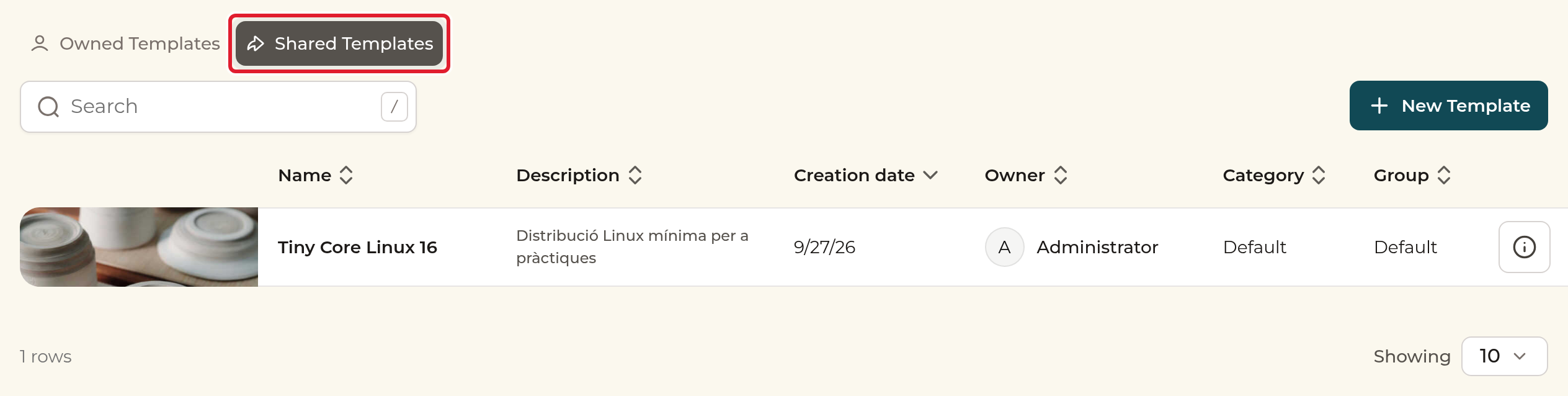
In this section, you can view the templates that have been shared with the user.
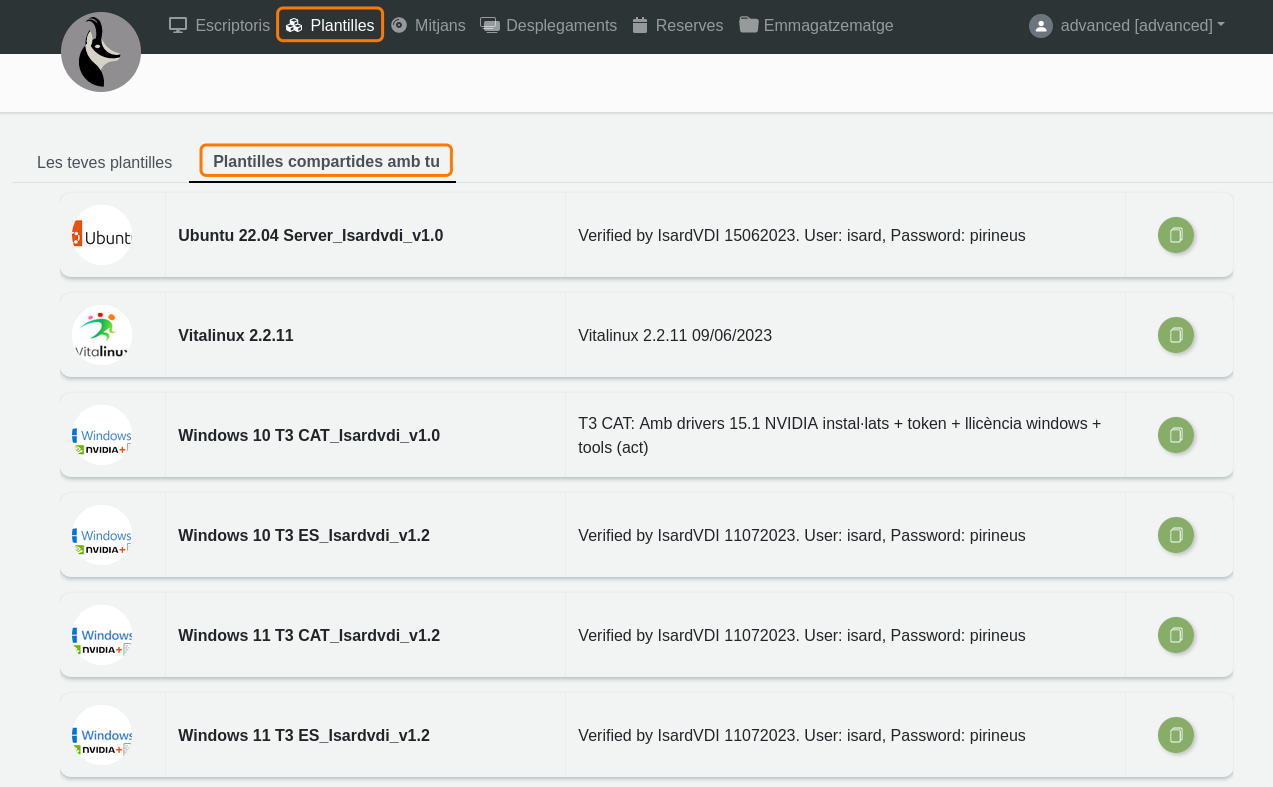
The Shared Templates tab shows the templates that other users have shared with the user. The available actions are Information and Duplicate Template.
Conditions and messages
- Your own templates are managed in the «Owned Templates» tab.
Development details
For those who develop or integrate IsardVDI: where each element of this section is located in the code, from which version it is available, which API operation it calls, and what messages it can return.
- New interface · file
views/TemplatesView.vue:486· interface text (translation key)components.templates.template-type.shared- from v17.0.0 (2026-04-24,
f31b874d89)
- from v17.0.0 (2026-04-24,
Commit code fe99ad98.
Create
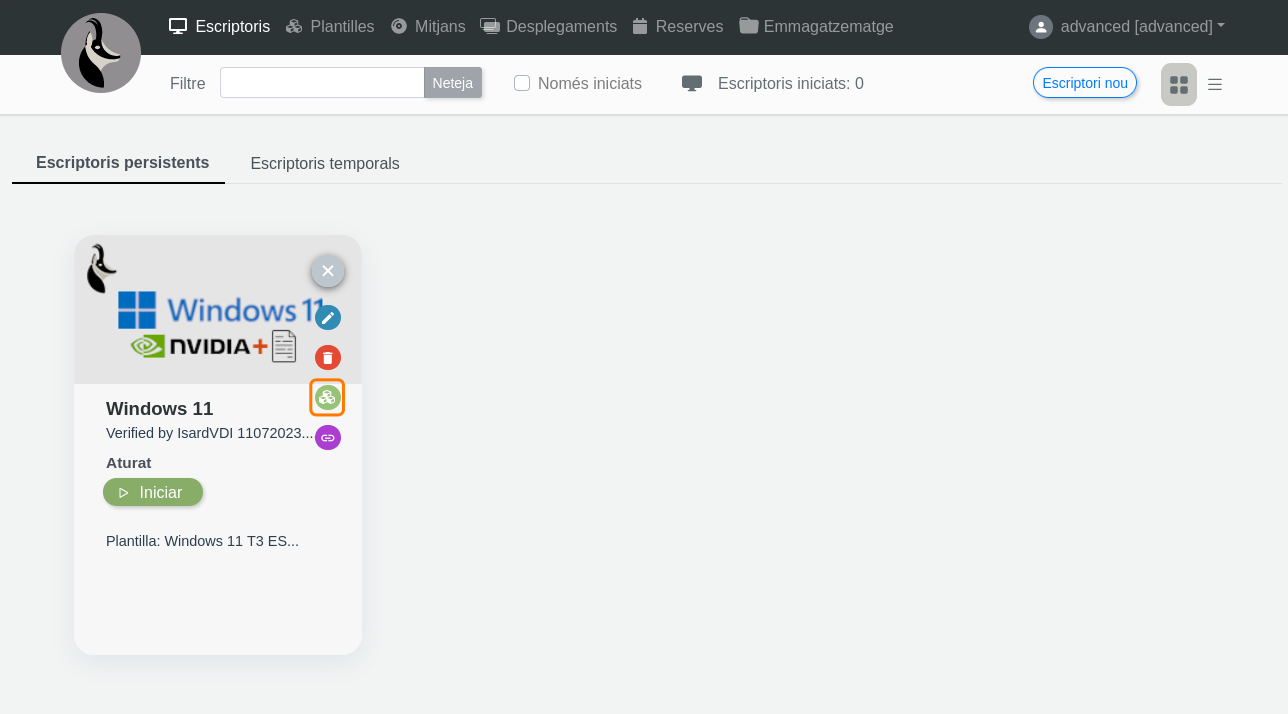
To create a template from a desktop, click the following icon:
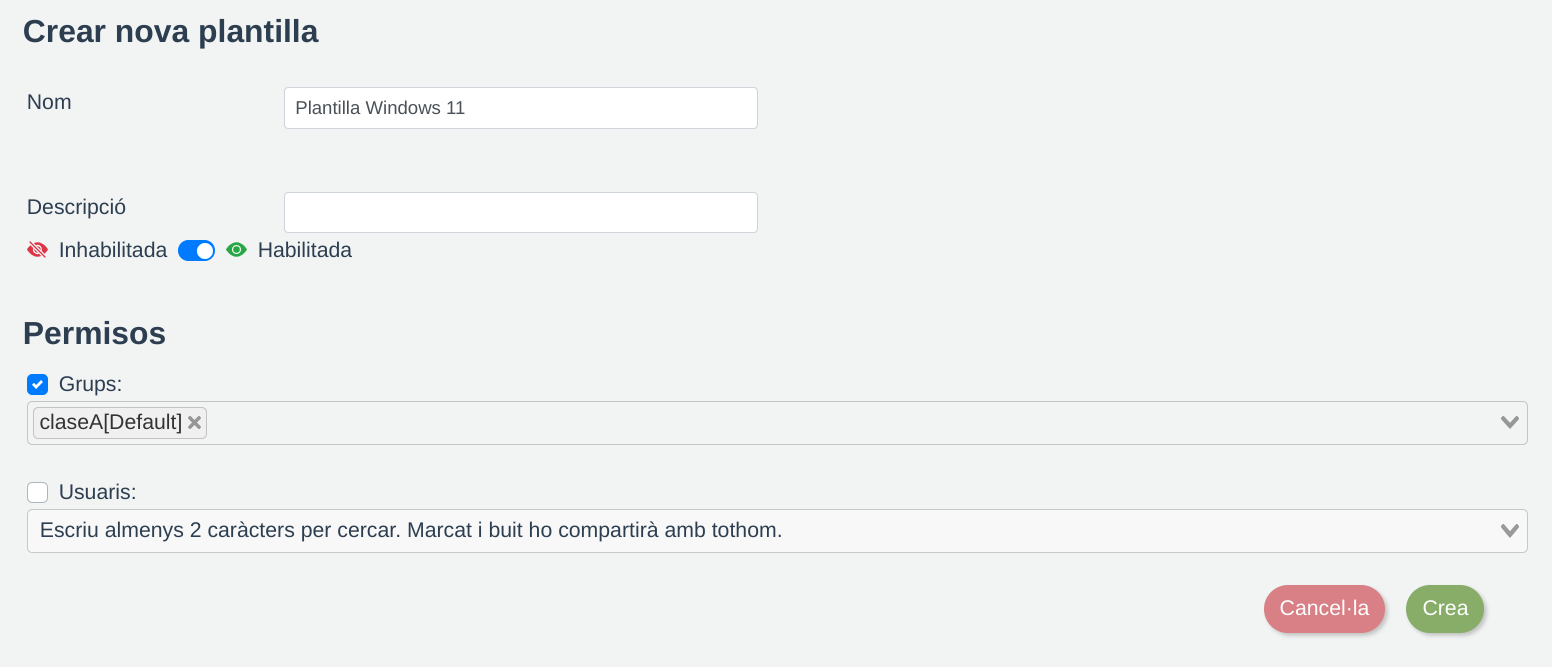
You can assign any name/description, choose whether to enable/disable it (make it visible/invisible), and share it with groups/users.
A template is created from an existing desktop and is used to create identical desktops.
What happens to the source desktop
The desktop does not disappear: it still belongs to the user and becomes a derivative of the new template (its disk is converted into a layer that depends on the template's disk). While the template is being created, the desktop is temporarily in the «CreatingTemplate» state and then returns to «Stopped». The template inherits the hardware, credentials and viewers of the desktop; the MAC addresses of the interfaces are regenerated so that the desktop and the template do not share any.
- Click New Template. Before the form opens, the template quota is checked; if it is used up, the dialog «Template creation quota exceeded» appears with the message «Template creation quota exceeded. A template must be deleted in order to create a new one.» and the Go back to templates button.
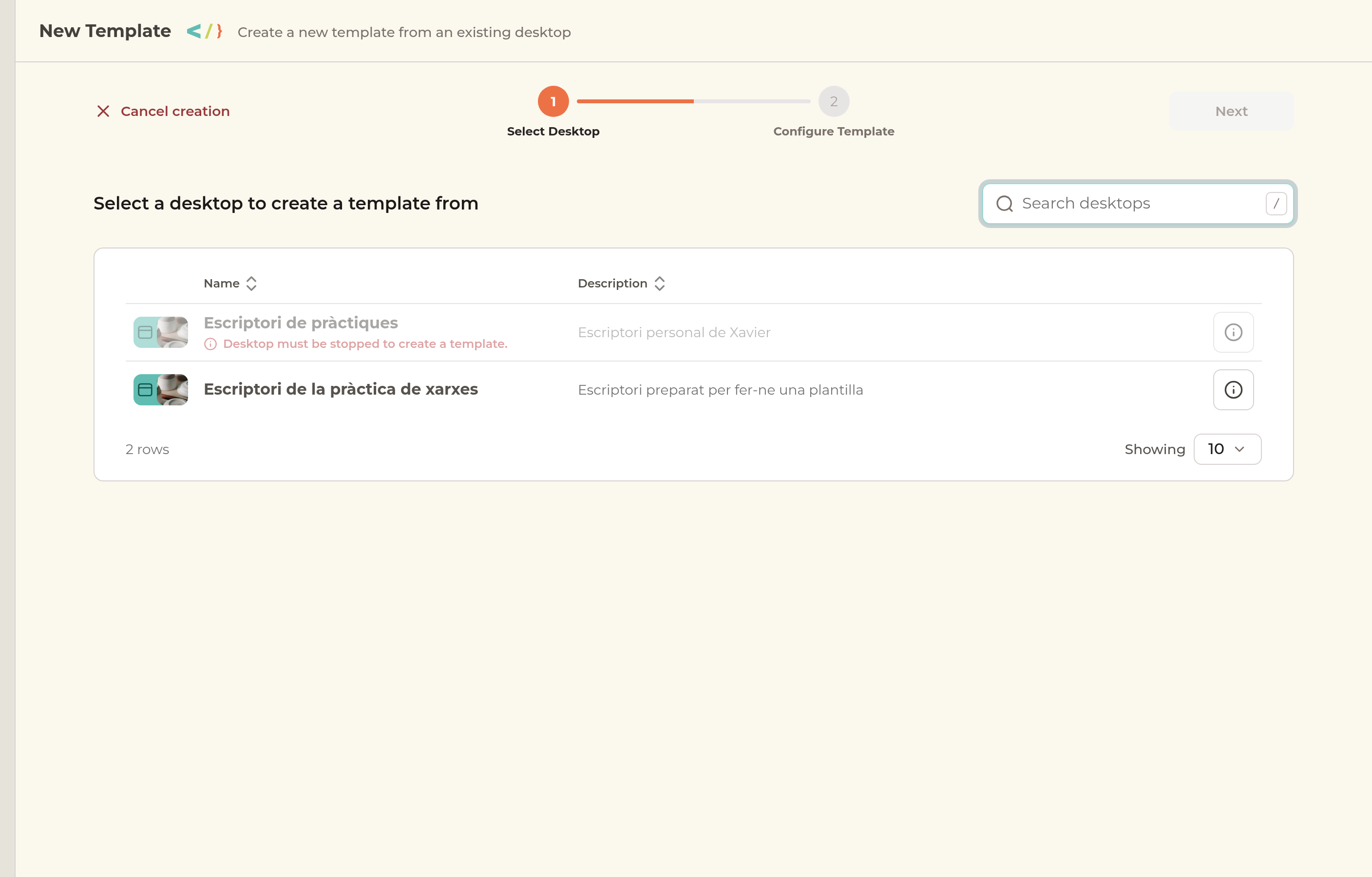
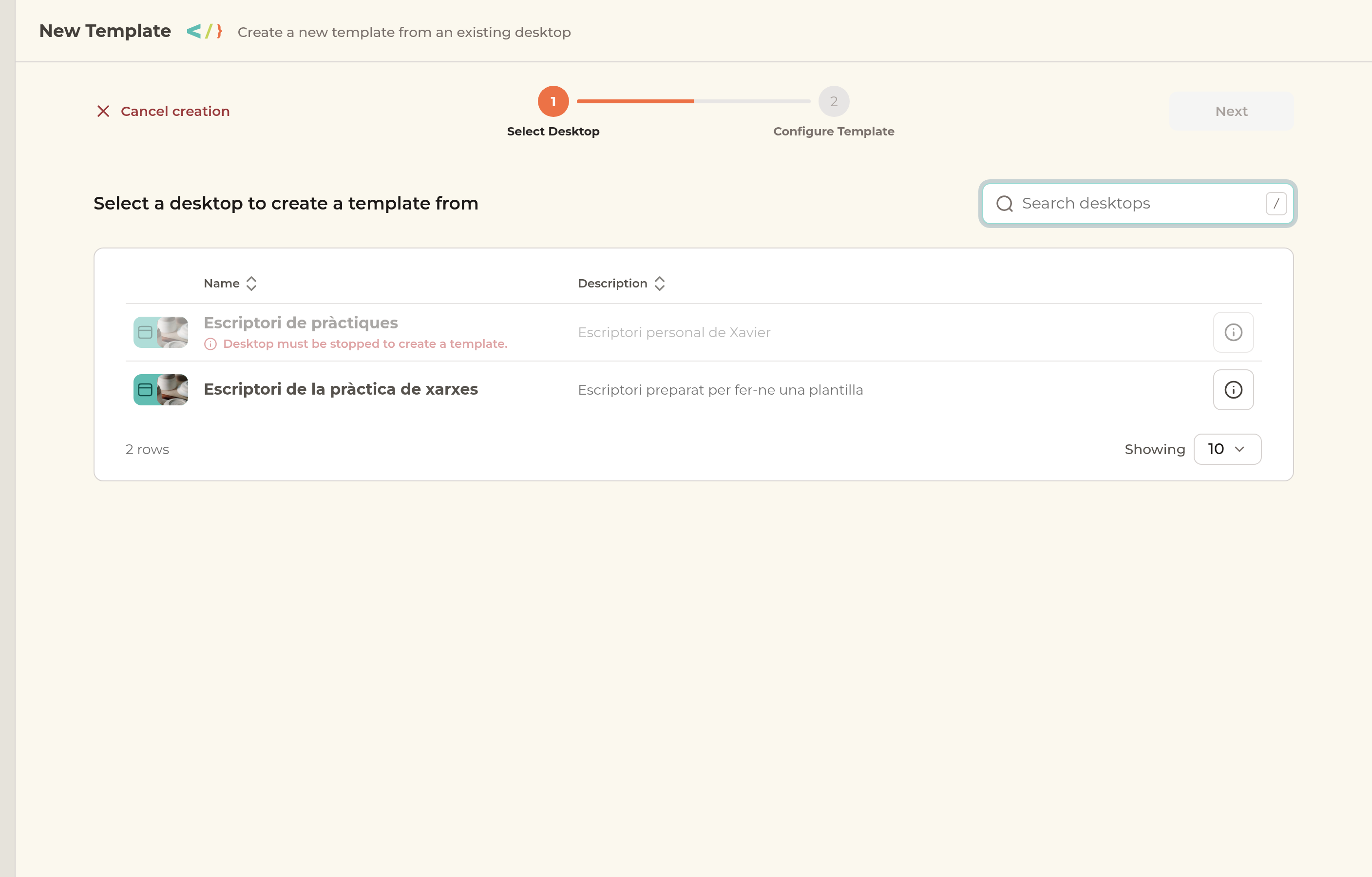
- Select Desktop step: choose the source desktop and click Next. Only persistent desktops are shown; the Information button in each row shows their data. Desktops that cannot be used appear dimmed with the reason.
- Configure Template step: fill in the Name (pre-filled with «Template» and the desktop name) and, optionally, the Description. The card image can be changed; otherwise, the template takes the image already shown in the preview.
- In Visibility, keep Visible to other users enabled or disable it (it is enabled by default).
- In Allowed Groups and Users, click Manage users and groups to choose who it is shared with. The text summarizes the selection: «This template will be shared with everyone in its category.», «This template will not be shared with anyone.» or the count of groups and users.
- Review the Access Summary and the Hardware Summary (hardware inherited from the desktop, read-only) and click Create Template. When it finishes, you return to Templates.
If New Template is clicked from a specific desktop, the form opens directly at the second step with that desktop.
Conditions and messages
- The name must be between 4 and 50 characters long and must be unique among the user's templates; the description is optional (maximum 255 characters). If the name already exists, the field shows «Please choose a different name.» and the warning says «A template with this name already exists. Please choose a different name.»
- The desktop must be stopped: otherwise, «Desktop must be stopped to create a template.» appears in the list and it cannot be selected.
- A server with automatic startup cannot be converted into a template: «Can't create a template from a server with autostart.» (the administrator must disable automatic startup first).
- If the desktop's disk has another operation in progress, the warning says «This desktop's disk is busy with another operation. Please wait a moment and try again.»
- Templates can only be created from desktops with a single disk, and the disk must be ready.
- A template can only be created from your own desktop; a manager can do so with the desktops of their category, and an administrator with any.
- There must be a storage pool available in the user's category.
- If the user has no persistent desktop, the form does not open: the dialog described in the «New desktop» section of this page appears.
- Any other error is displayed with the title «There was an error creating the template».
- The process can be cancelled at any time with Cancel creation; if changes have already been made, confirmation is requested («Discard and exit?», Keep editing / Discard and exit).
Development details
For those who develop or integrate IsardVDI: where in the code each element of this section is located, from which version it has been available, which API operation it calls, and what messages it can return.
- New interface · file
components/domain/DomainInfoSection.vue:327· interface text (translation key)components.domain.configuration.preview.title- since v17.27.0 (2026-08-31,
bbeb172591)
- since v17.27.0 (2026-08-31,
- New interface · file
components/domain/DomainInfoSection.vue:330· interface text (translation key)components.domain.configuration.preview.description- since v17.27.0 (2026-08-31,
bbeb172591)
- since v17.27.0 (2026-08-31,
- New interface · file
components/domain/DomainInfoSection.vue:390· interface text (translation key)components.domain.configuration.kind.title- since v17.21.0 (2026-08-21,
0c119dff4f)
- since v17.21.0 (2026-08-21,
- New interface · file
components/domain/DomainInfoSection.vue:393· interface text (translation key)components.domain.configuration.kind.description- since v17.21.0 (2026-08-21,
0c119dff4f)
- since v17.21.0 (2026-08-21,
- New interface · file
views/TemplatesView.vue:512· interface text (translation key)views.templates.new-template- since v17.0.0 (2026-04-24,
f31b874d89) - on click:
goToNewTemplate - calls:
navigation to the «new-template» route
- since v17.0.0 (2026-04-24,
- New interface · file
views/DuplicateTemplateFormView.vue:212· interface text (translation key)components.templates.quota-exceeded-modal.title- since v17.0.0 (2026-04-24,
f31b874d89)
- since v17.0.0 (2026-04-24,
- New interface · file
views/DuplicateTemplateFormView.vue:213· interface text (translation key)components.templates.quota-exceeded-modal.description- since v17.0.0 (2026-04-24,
f31b874d89)
- since v17.0.0 (2026-04-24,
- New interface · file
views/DuplicateTemplateFormView.vue:214· interface text (translation key)components.templates.quota-exceeded-modal.cancel- since v17.0.0 (2026-04-24,
f31b874d89)
- since v17.0.0 (2026-04-24,
- New interface · file
views/DuplicateTemplateFormView.vue:223· interface text (translation key)views.new-template.header.create-template- since v17.0.0 (2026-04-24,
f31b874d89)
- since v17.0.0 (2026-04-24,
- New interface · file
views/NewTemplateView.vue:324· interface text (translation key)views.new-template.header.next- since v17.0.0 (2026-04-24,
f31b874d89) - on click:
goToNextStep
- since v17.0.0 (2026-04-24,
- New interface · file
views/NewTemplateView.vue:333· interface text (translation key)views.new-template.select.title- since v17.0.0 (2026-04-24,
f31b874d89)
- since v17.0.0 (2026-04-24,
- New interface · file
views/NewTemplateView.vue:364· interface text (translation key)views.desktops.go-to-desktops- since v17.0.0 (2026-04-24,
f31b874d89) - on click:
router.push({ name: 'desktops' }) - calls:
navigation to the «desktops» route
- since v17.0.0 (2026-04-24,
- New interface · file
views/NewTemplateView.vue:441· interface text (translation key)components.desktops.desktop-card.actions.info- since v17.0.0 (2026-04-24,
f31b874d89) - on click:
openDesktopInfoModal(row.original.id)
- since v17.0.0 (2026-04-24,
- New interface · file
components/domain/DomainInfoSection.vue:221· interface text (translation key)views.new-template.form.sections.preview.title- since v17.0.0 (2026-04-24,
f31b874d89)
- since v17.0.0 (2026-04-24,
- New interface · file
components/domain/DomainInfoSection.vue:224· interface text (translation key)views.new-template.form.sections.preview.subtitle- since v17.0.0 (2026-04-24,
f31b874d89)
- since v17.0.0 (2026-04-24,
- New interface · file
components/domain/DomainInfoSection.vue:261· interface text (translation key)views.new-template.form.sections.preview.fields.name.label- since v17.0.0 (2026-04-24,
f31b874d89)
- since v17.0.0 (2026-04-24,
- New interface · file
components/domain/DomainInfoSection.vue:272· interface text (translation key)views.new-template.form.sections.preview.fields.name.placeholder- since v17.0.0 (2026-04-24,
f31b874d89)
- since v17.0.0 (2026-04-24,
- New interface · file
components/domain/DomainInfoSection.vue:291· interface text (translation key)views.new-template.form.sections.preview.fields.description.label- since v17.0.0 (2026-04-24,
f31b874d89)
- since v17.0.0 (2026-04-24,
- New interface · file
components/domain/DomainInfoSection.vue:302· interface text (translation key)views.new-template.form.sections.preview.fields.description.placeholder- since v17.0.0 (2026-04-24,
f31b874d89)
- since v17.0.0 (2026-04-24,
- New interface · file
components/domain/DomainInfoSection.vue:364· interface text (translation key)components.desktops.desktop-card.status.stopped.action- since v17.0.0 (2026-04-24,
f31b874d89)
- since v17.0.0 (2026-04-24,
- New interface · file
components/domain/DomainInfoSection.vue:428· interface text (translation key)components.domain.info.name.label- since v17.0.0 (2026-04-24,
f31b874d89)
- since v17.0.0 (2026-04-24,
- New interface · file
components/domain/DomainInfoSection.vue:436· interface text (translation key)components.domain.info.name.placeholder- since v17.0.0 (2026-04-24,
f31b874d89)
- since v17.0.0 (2026-04-24,
- New interface · file
components/domain/DomainInfoSection.vue:450· interface text (translation key)components.domain.info.description.label- since v17.0.0 (2026-04-24,
f31b874d89)
- since v17.0.0 (2026-04-24,
- New interface · file
components/domain/DomainInfoSection.vue:459· interface text (translation key)components.domain.info.description.placeholder- since v17.0.0 (2026-04-24,
f31b874d89)
- since v17.0.0 (2026-04-24,
- New interface · file
components/domain/DomainInfoSection.vue:250· interface text (translation key)components.change-image-modal.title- since v17.0.0 (2026-04-16,
744187a25d) - on click:
emit('change-image')
- since v17.0.0 (2026-04-16,
- New interface · file
components/domain/DomainInfoSection.vue:380· interface text (translation key)components.domain.configuration.preview.start-disabled
Commit code fe99ad98.
Information
The «Information» section contains the name, description, and current status of the desktop.
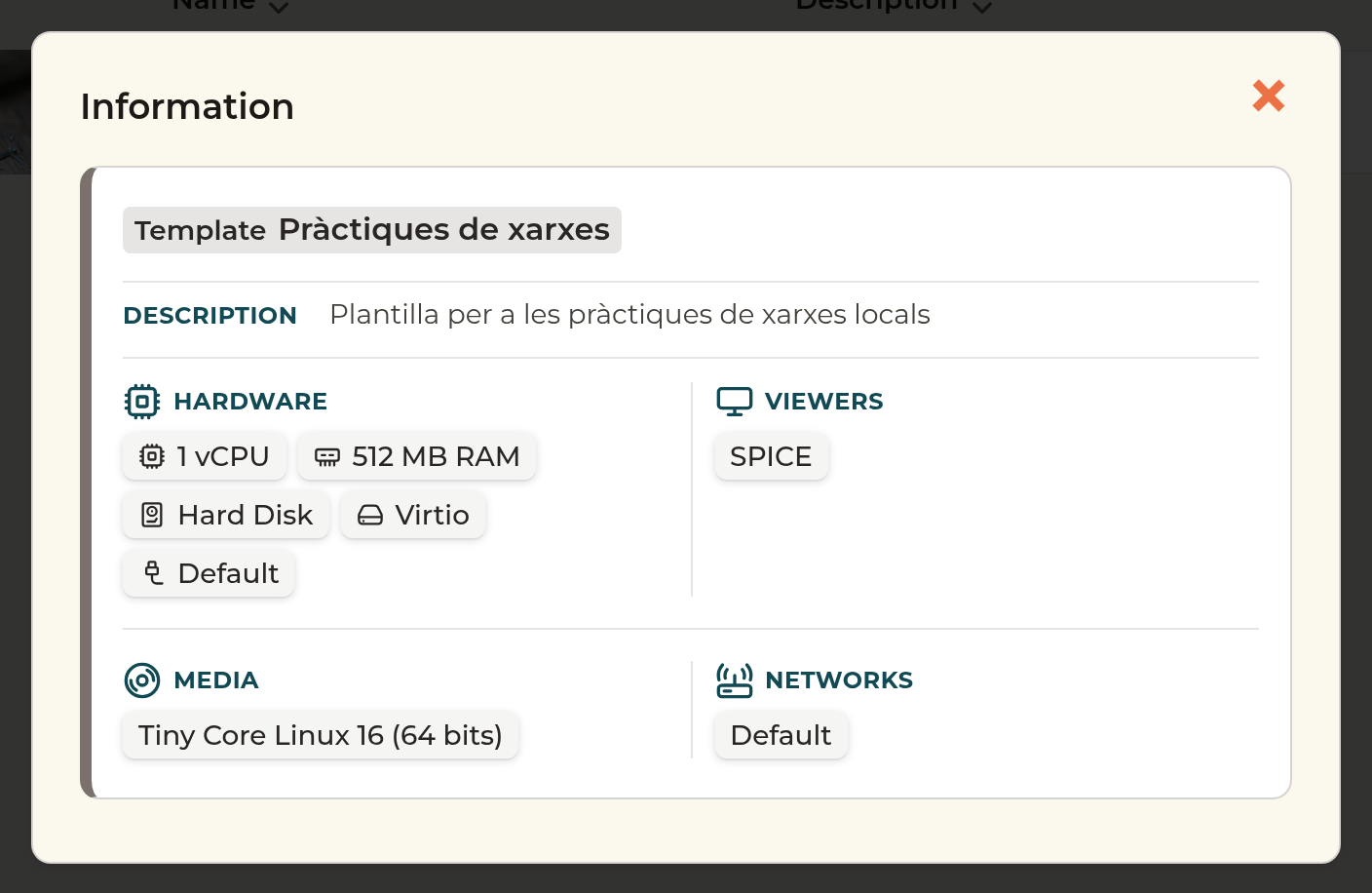
In either tab, the Information action on the template row opens a window with its data.
The window displays the template's hardware, network, and viewer parameters.
Development details
For those developing or integrating IsardVDI: where each element of this section is located in the code, since which version it has been available, which API operation it calls, and what messages it can return.
- New interface · file
views/TemplatesView.vue:605· interface text (translation key)views.templates.table.actions.info- since v17.0.0 (2026-04-24,
f31b874d89) - on click:
openTemplateInfoModal(row.id)
- since v17.0.0 (2026-04-24,
- New interface · file
components/desktops/DomainInfoModal.vue:157· interface text (translation key)components.domain-info-modal.title- since v17.0.0 (2026-04-24,
f31b874d89)
- since v17.0.0 (2026-04-24,
Commit code fe99ad98.
Show/hide
To modify the visibility of a template, in the Owned Templates section, click the  icon or the
 icon, depending on the template's current visibility.
The state of the eye icon determines the template's visibility:
- Open eye and blue button : visible template
- Crossed-out eye and gray button : invisible template
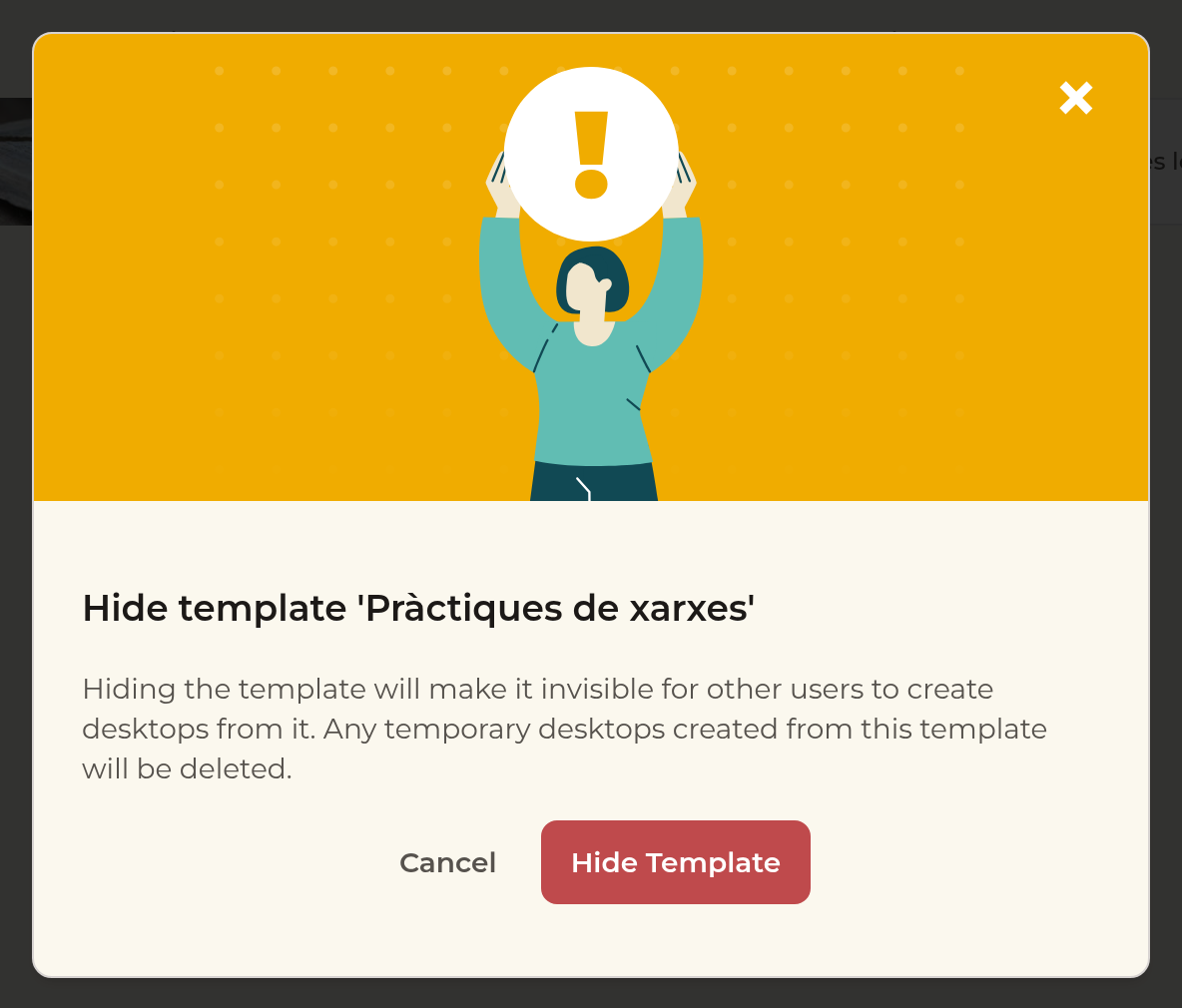
A form will appear to accept or reject the change in the template's visibility:
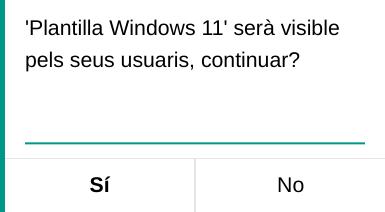
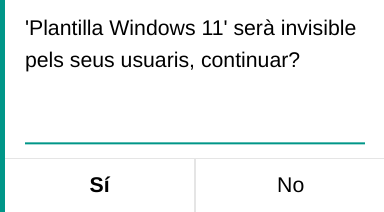
Hiding a template means that other users cannot create desktops from it. If it is hidden, the button is Make Template Visible, which allows it again.
- Click the Hide Template button in the row.
- Confirm with Hide Template in the dialog.
Conditions and messages
- The confirmation dialog shows the text «Hiding the template will make it invisible for other users to create desktops from it. Any temporary desktops created from this template will be deleted.». Whatever the wording suggests, the effect is that, once hidden, other users cannot create desktops from it. The temporary desktops derived from it are deleted.
- When it is made visible again, the template quota is checked again.
- The template owner, the managers of its category and the administrators can do this.
- The action is cancelled with Cancel.
Development details
For those who develop or integrate IsardVDI: where each element of this section is located in the code, from which version it is available, which API operation it calls, and what messages it can return.
- New interface · file
views/TemplatesView.vue:619· interface text (translation key)views.templates.table.actions.hide- since v17.0.0 (2026-04-24,
f31b874d89) - on click:
visibilityModalData = { id: row.id, name: row.name, action: isTemplateVisible(row) ? 'hide' : 'show' }
- since v17.0.0 (2026-04-24,
- New interface · file
views/TemplatesView.vue:619· interface text (translation key)views.templates.table.actions.show- since v17.0.0 (2026-04-24,
f31b874d89) - on click:
visibilityModalData = { id: row.id, name: row.name, action: isTemplateVisible(row) ? 'hide' : 'show' }
- since v17.0.0 (2026-04-24,
- New interface · file
components/template-toggle-visibility/TemplateToggleVisibilityModal.vue:55· interface text (translation key)domains.templates- since v17.0.0 (2026-04-24,
f31b874d89)
- since v17.0.0 (2026-04-24,
Commit code fe99ad98.
Edit
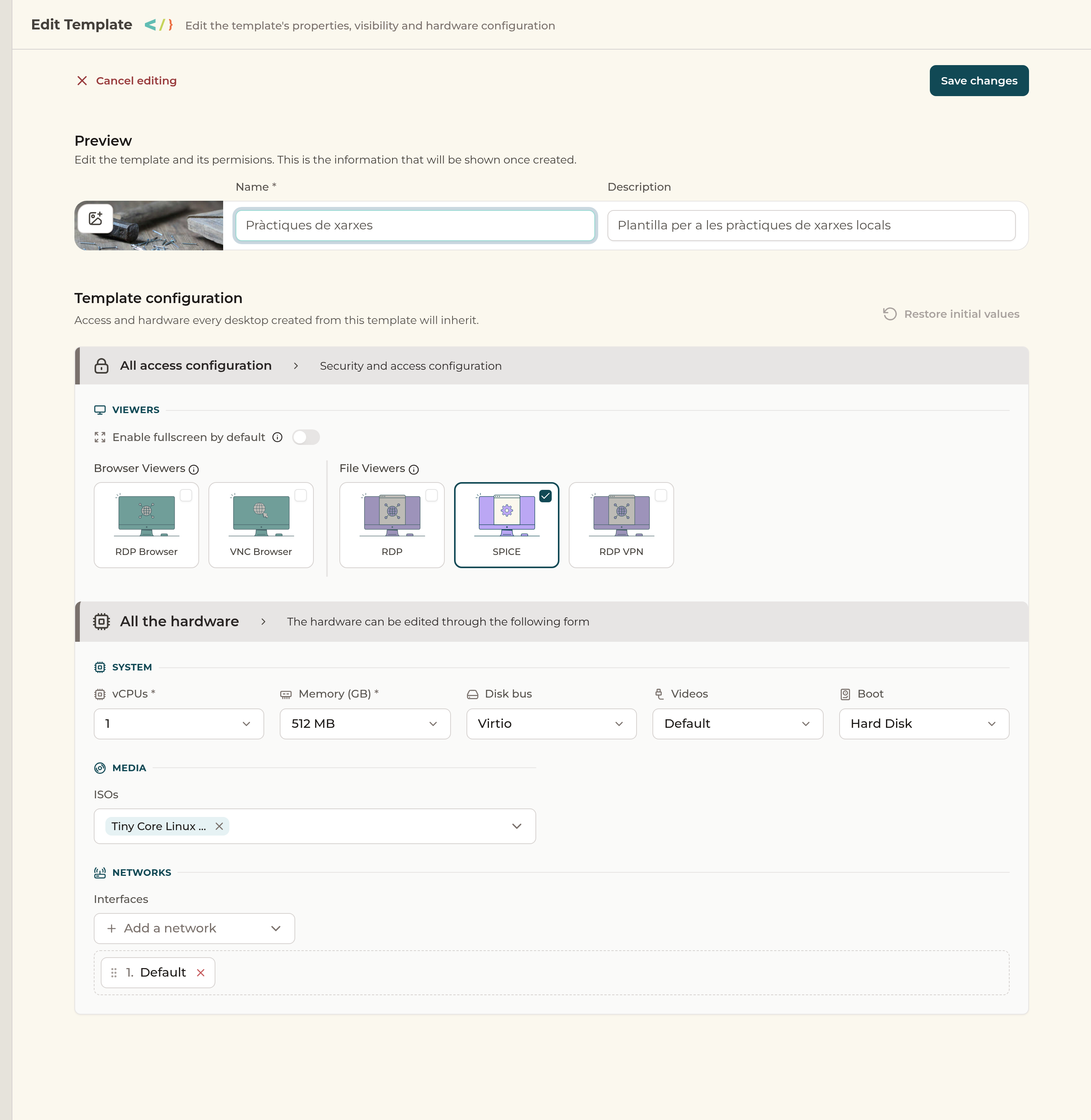
To edit a template, in the Owned Templates section, click the  icon, which redirects you to the page where you can edit the template information (the same form and options as when editing a desktop).
- In Owned Templates, find the template you want to change.
- Click Edit Template. The template edit page opens (not the duplication page).
- Change the data: name, description, image (only from the available ones; you cannot upload your own image), credentials and viewers, hardware and bookable resources (for example, vGPU). It is the same configuration panel as when editing a desktop.
- Click Save changes. When it finishes, you return to Templates.
What cannot be changed here
This form does not change the template's visibility or permissions: for that, use Hide Template / Make Template Visible and Update Alloweds («Share» section). The forced or preferred hypervisor can only be set by an administrator.
Conditions and messages
- The Edit Template button is only shown on the Owned Templates tab (not on the templates shared with the user).
- Only the template owner, a manager of its category, or an administrator can access it.
- If saving fails, the «Error saving the template» warning appears with the error details.
- Save changes is disabled while the form is not valid or the data is still loading.
- You can leave with Cancel editing; if there are unsaved changes, confirmation is requested («Discard and exit?»).
Development details
For those who develop or integrate IsardVDI: where each element of this section is in the code, from which version it has been available, which API operation it calls, and what messages it can return.
- New interface · file
views/EditTemplateView.vue:92· interface text (translation key)components.form-header.cancel-edit- since v17.21.0 (2026-08-19,
09e375ba8a)
- since v17.21.0 (2026-08-19,
- New interface · file
views/TemplatesView.vue:667· interface text (translation key)views.templates.table.actions.edit- since v17.0.0 (2026-04-24,
f31b874d89) - on click:
router.push({ name: 'edit-template', params: { templateId: row.id } }) - call:
navigation to the «edit-template» route
- since v17.0.0 (2026-04-24,
- New interface · file
views/EditTemplateView.vue:94· interface text (translation key)views.edit-template.header.save- since v17.0.0 (2026-04-16,
744187a25d)
- since v17.0.0 (2026-04-16,
- New interface · file
views/EditTemplateView.vue:104· interface text (translation key)views.edit-template.errors.title- since v17.0.0 (2026-04-16,
744187a25d)
- since v17.0.0 (2026-04-16,
Commit code fe99ad98.
Share
To share a template, in the Owned Templates section, click the  icon, and a window will appear where you can assign groups and/or users.
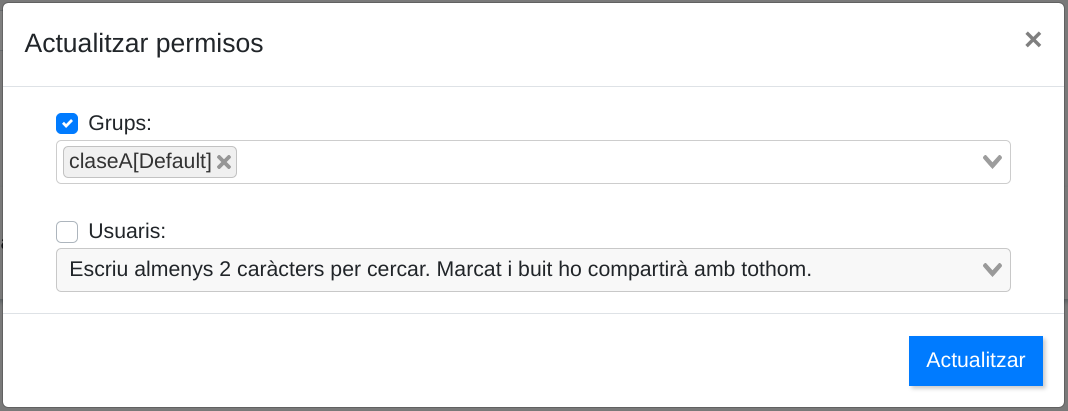
Sharing a template means choosing which groups and users can use it to create desktops.
- In Owned Templates, click Update Alloweds in the template row.
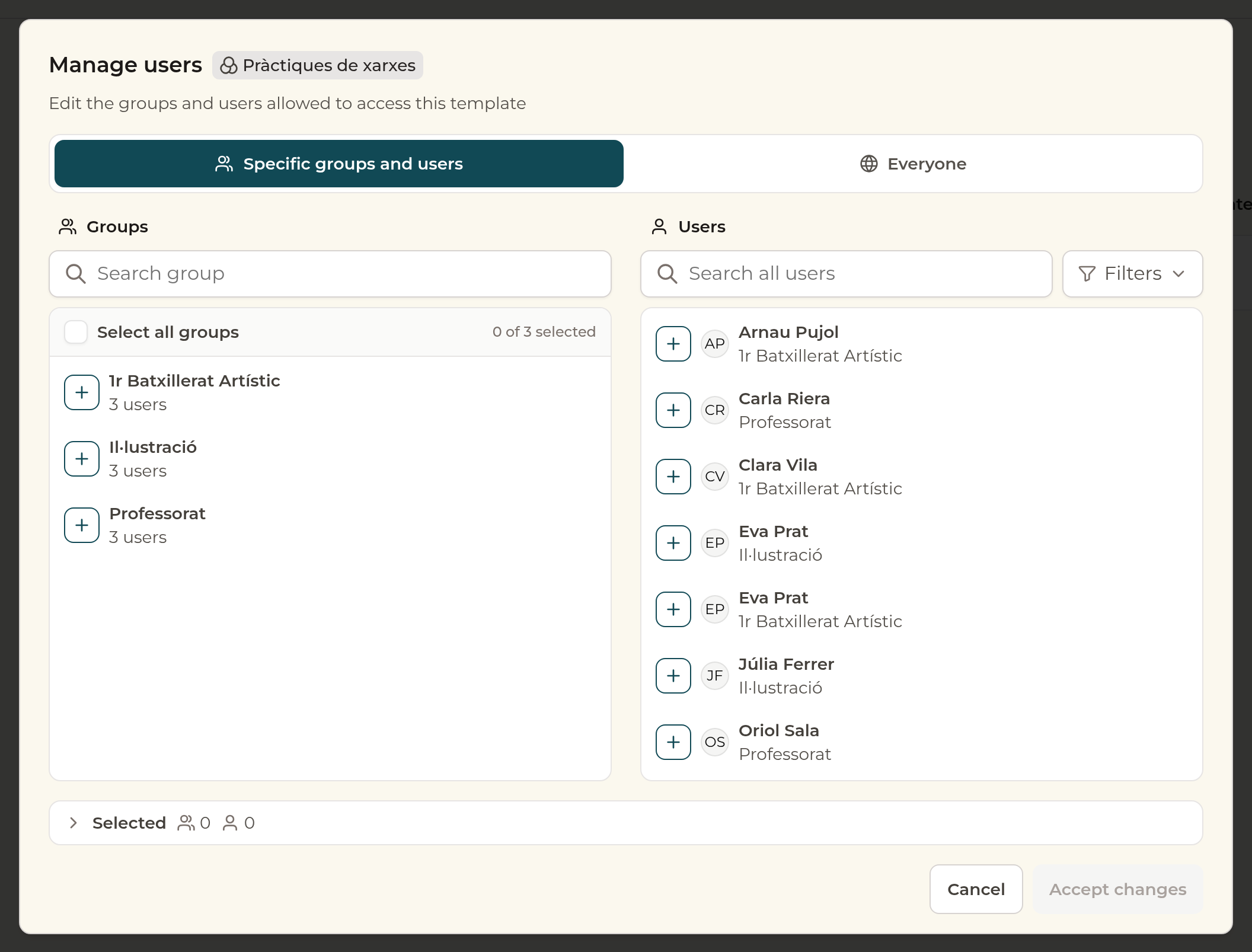
- In the Manage users dialog («Edit the groups and users allowed to access this template»), in Who can access, choose Specific groups and users or Everyone.
- With Specific groups and users, tick groups (or Select all groups) or users in the Groups and Users columns; they can be searched for and removed from the summary.
- Click Accept changes (or Cancel to close without saving).
Everyone means the entire category
Everyone displays the warning «Shared with everyone: all users in your category will have access». This does not mean all users in the installation, but rather those in the template's category.
Conditions and messages
- The action is only available on the Owned Templates tab, and can only be performed by the owner, a manager of their category, or an administrator.
- Accept changes is not enabled until there is a change («Make a change to save») and a selection («Select at least one group or user»).
- If a user already has access through a group, the dialog indicates this («Shared through group '…'»).
- When saving, the selection of groups and users replaces the previous one.
- Success: «Allowed users and groups updated» notification. Error: «Could not update the allowed users and groups»; try again or tell the administration.
- In the API, when creating or duplicating a template, only managers and administrators can send allowed categories and roles; for other roles, only groups and users are saved.
Development details
For those who develop or integrate IsardVDI: where each element of this section is located in the code, from which version it is available, which API operation it calls, and what messages it can return.
- New interface · file
components/modal/allowed/AllowedModal.vue:682· interface text (translation key)components.allowed-modal.share-everyone.audience- since v17.52.0 (2026-10-05,
10d3e957a0)
- since v17.52.0 (2026-10-05,
- New interface · file
components/modal/allowed/AllowedModal.vue:703· interface text (translation key)components.allowed-modal.share-everyone.alert.title- since v17.52.0 (2026-10-01,
91918618c0)
- since v17.52.0 (2026-10-01,
- New interface · file
components/modal/allowed/AllowedModal.vue:706· interface text (translation key)components.allowed-modal.share-everyone.alert.description- since v17.52.0 (2026-10-01,
91918618c0)
- since v17.52.0 (2026-10-01,
- New interface · file
components/modal/allowed/AllowedModal.vue:671· interface text (translation key)components.allowed-modal.warning- since v17.27.0 (2026-08-25,
1dae7c4b53)
- since v17.27.0 (2026-08-25,
- New interface · file
components/modal/allowed/AllowedModal.vue:633· interface text (translation key)components.allowed-modal.title- since v17.21.0 (2026-08-04,
3d4c2712dd)
- since v17.21.0 (2026-08-04,
- New interface · file
components/modal/allowed/AllowedModal.vue:638· interface text (translation key)components.allowed-modal.description.generic- since v17.21.0 (2026-08-04,
3d4c2712dd)
- since v17.21.0 (2026-08-04,
- New interface · file
components/modal/allowed/AllowedModal.vue:717· interface text (translation key)components.allowed-modal.columns.groups- since v17.21.0 (2026-08-04,
3d4c2712dd)
- since v17.21.0 (2026-08-04,
- New interface · file
components/modal/allowed/AllowedModal.vue:728· interface text (translation key)components.allowed-modal.select-all.groups- since v17.21.0 (2026-08-04,
3d4c2712dd)
- since v17.21.0 (2026-08-04,
- New interface · file
components/modal/allowed/AllowedModal.vue:730· interface text (translation key)components.allowed-modal.select-all.count- since v17.21.0 (2026-08-04,
3d4c2712dd)
- since v17.21.0 (2026-08-04,
- New interface · file
components/modal/allowed/AllowedModal.vue:741· interface text (translation key)components.allowed-modal.columns.users- since v17.21.0 (2026-08-04,
3d4c2712dd)
- since v17.21.0 (2026-08-04,
- New interface · file
components/modal/allowed/AllowedModal.vue:802· interface text (translation key)components.allowed-modal.cancel- since v17.21.0 (2026-08-04,
3d4c2712dd) - on click:
handleClose
- since v17.21.0 (2026-08-04,
- New interface · file
components/modal/allowed/AllowedModal.vue:814· interface text (translation key)components.allowed-modal.save- since v17.21.0 (2026-08-04,
3d4c2712dd) - on click:
handleSave
- since v17.21.0 (2026-08-04,
- New interface · file
views/TemplatesView.vue:678· interface text (translation key)views.templates.table.actions.update-alloweds- since v17.0.0 (2026-04-24,
f31b874d89) - on click:
openAllowedModal({ id: row.id, name: row.name })
- since v17.0.0 (2026-04-24,
Commit code fe99ad98.
Convert to desktop
Template revisions
A template can only be converted into a desktop if no desktop, template or deployment derives from it. To revise a template, it is recommended to create a desktop from it, make the necessary changes and then create a new template from that desktop.
To convert a template into a desktop, in the Owned Templates section, click the  icon.
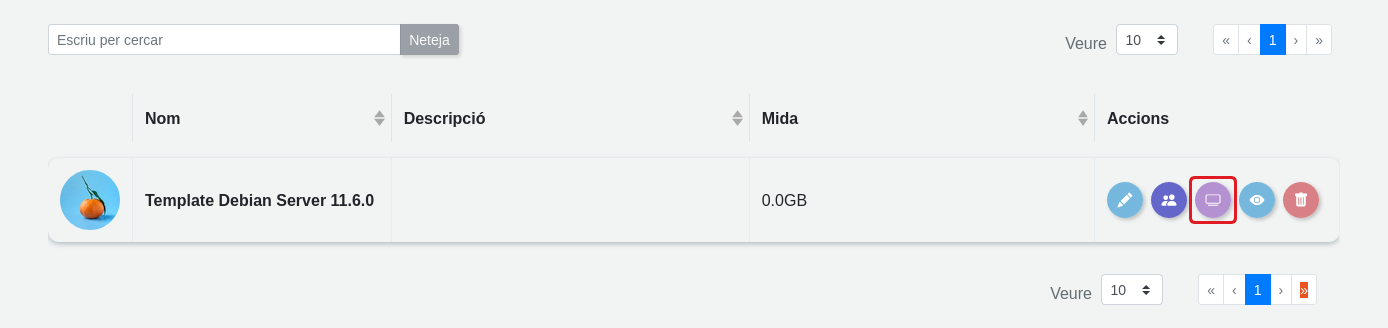
For templates without dependencies:
If no desktop, template or deployment derives from it, the template is converted into a desktop.
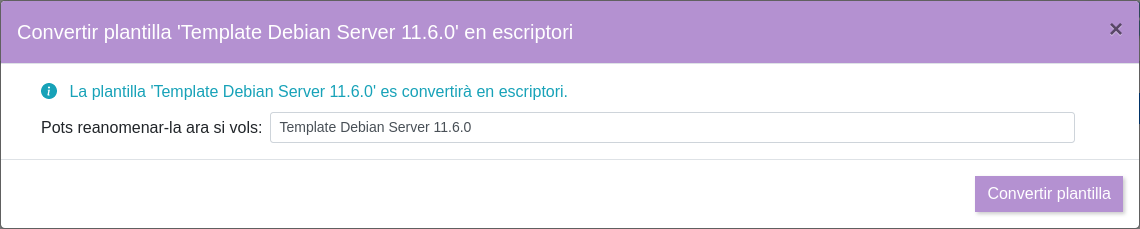
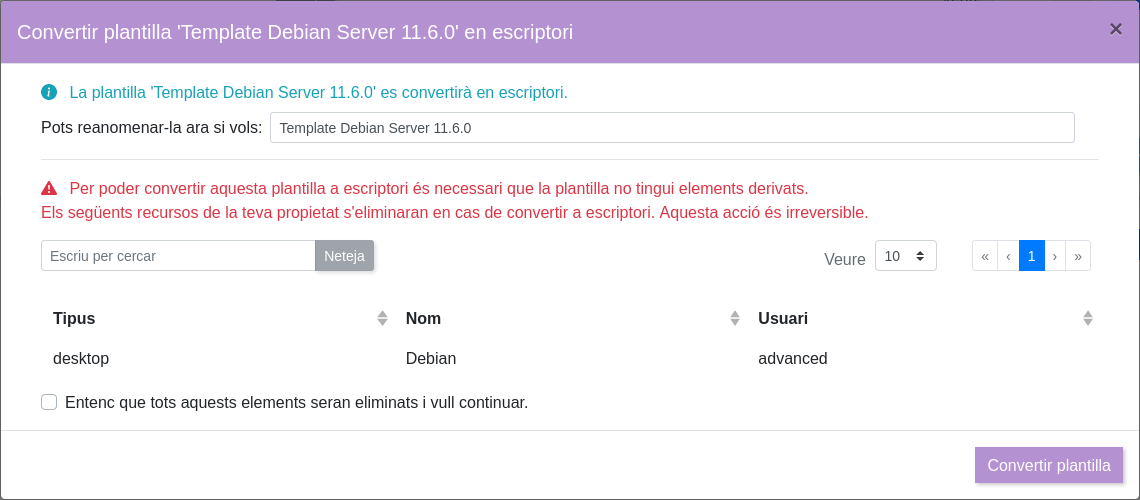
For templates with dependencies:
If the template has dependencies (desktops, templates or deployments derived from it, your own or other users'), the conversion is blocked. The derived items must be deleted first, or you must ask the manager or the administration to do it.
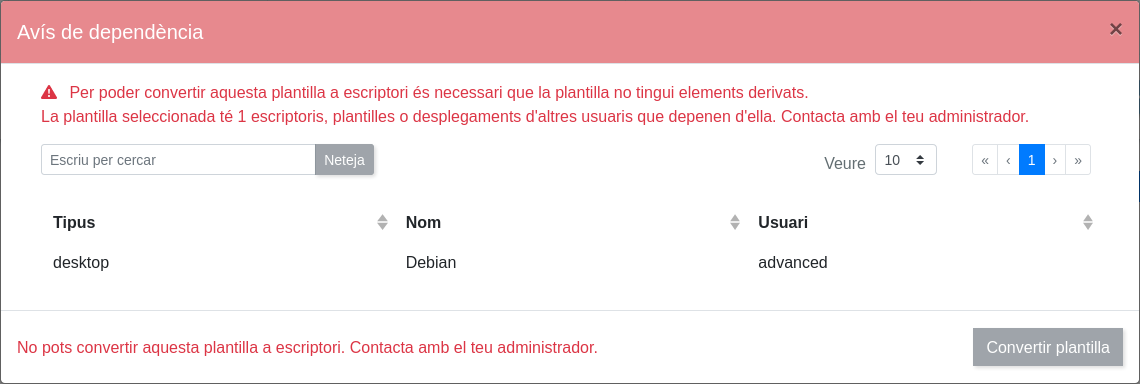
The advanced role sees other users' dependencies as hidden, but sees how many there are. The manager role sees the names of users and desktops of their category, and the administrator, those of all categories.
The conversion turns the template itself into a desktop: the template no longer exists.
- In Owned Templates, in the row's more-actions menu, click Convert to Desktop.
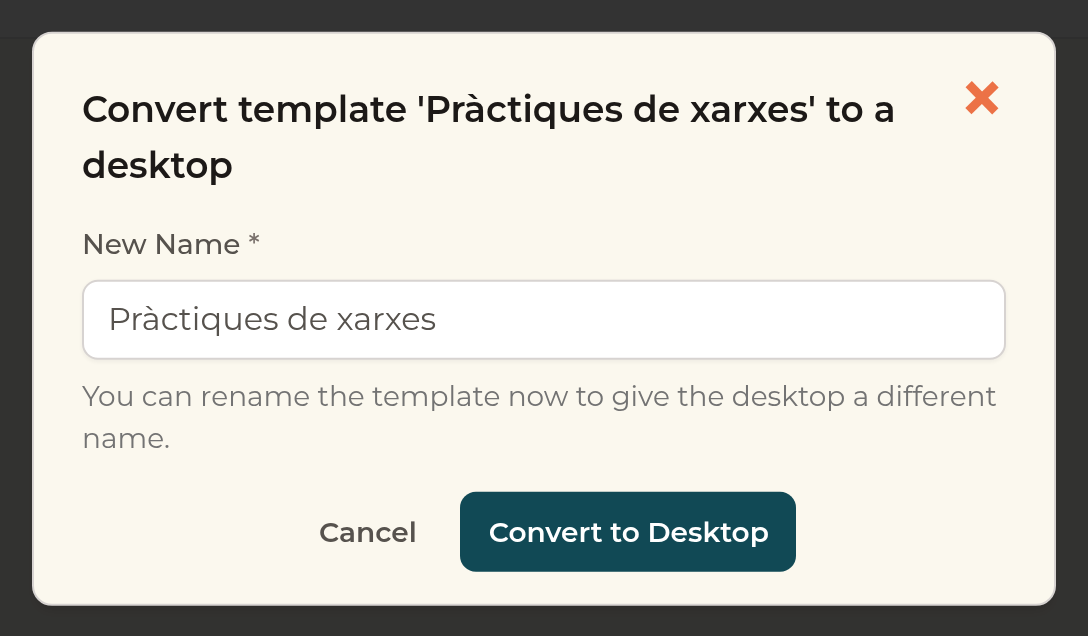
- In the «Convert template 'name' to a desktop» dialog, review the New Name field («You can rename the template now to give the desktop a different name.»).
- Click Convert to Desktop.
Conditions and messages
- The conversion is blocked («Conversion blocked») and only Cancel can be clicked in these cases:
- the template has dependencies: «This template has derivatives and cannot be converted to a desktop. Please contact an administrator.»;
- the template is a copy of another one: «This template is a duplicate of another template and cannot be converted to a desktop. Please contact an administrator.»;
- the dependencies could not be checked: «There was an error checking the dependencies of this template. Please try again later or contact an administrator if the problem persists.».
- The template owner, the managers of its category and the administrators can do this.
- The New Name field is required: if it is left empty, the required-field warning appears when you leave the field. The server requires between 4 and 50 characters; otherwise, it rejects the conversion.
- If a desktop with that name already exists: «A desktop with the same name already exists. Please choose a different name.».
- There must be a storage pool available in the category.
Development details
For those who develop or integrate IsardVDI: where each element of this section is in the code, from which version it is available, which API operation it calls, and what messages it can return.
- New interface · file
views/TemplatesView.vue:696· interface text (translation key)views.templates.table.actions.template-to-desktop- since v17.0.0 (2026-04-24,
f31b874d89) - on click:
handleWithDesktopQuotaCheck( () => (convertModalData = { id: row.id, name: row.name }) )
- since v17.0.0 (2026-04-24,
- New interface · file
components/templates/template-to-desktop-modal/TemplateToDesktopModal.vue:158· interface text (translation key)components.templates.convert-to-desktop-modal.title- since v17.0.0 (2026-04-24,
f31b874d89)
- since v17.0.0 (2026-04-24,
- New interface · file
components/templates/template-to-desktop-modal/TemplateToDesktopModal.vue:175· interface text (translation key)components.templates.convert-to-desktop-modal.alert.title- since v17.0.0 (2026-04-24,
f31b874d89)
- since v17.0.0 (2026-04-24,
- New interface · file
components/templates/template-to-desktop-modal/TemplateToDesktopModal.vue:269· interface text (translation key)components.templates.convert-to-desktop-modal.form.name.label- since v17.0.0 (2026-04-24,
f31b874d89)
- since v17.0.0 (2026-04-24,
- New interface · file
components/templates/template-to-desktop-modal/TemplateToDesktopModal.vue:283· interface text (translation key)components.templates.convert-to-desktop-modal.form.name.description- since v17.0.0 (2026-04-24,
f31b874d89)
- since v17.0.0 (2026-04-24,
- New interface · file
components/templates/template-to-desktop-modal/TemplateToDesktopModal.vue:293· interface text (translation key)components.templates.convert-to-desktop-modal.cancel- since v17.0.0 (2026-04-24,
f31b874d89) - on click:
emit('close')
- since v17.0.0 (2026-04-24,
- New interface · file
components/templates/template-to-desktop-modal/TemplateToDesktopModal.vue:309· interface text (translation key)components.templates.convert-to-desktop-modal.confirm- since v17.0.0 (2026-04-24,
f31b874d89) - on click:
form.handleSubmit
- since v17.0.0 (2026-04-24,
Commit code fe99ad98.
Duplicate template
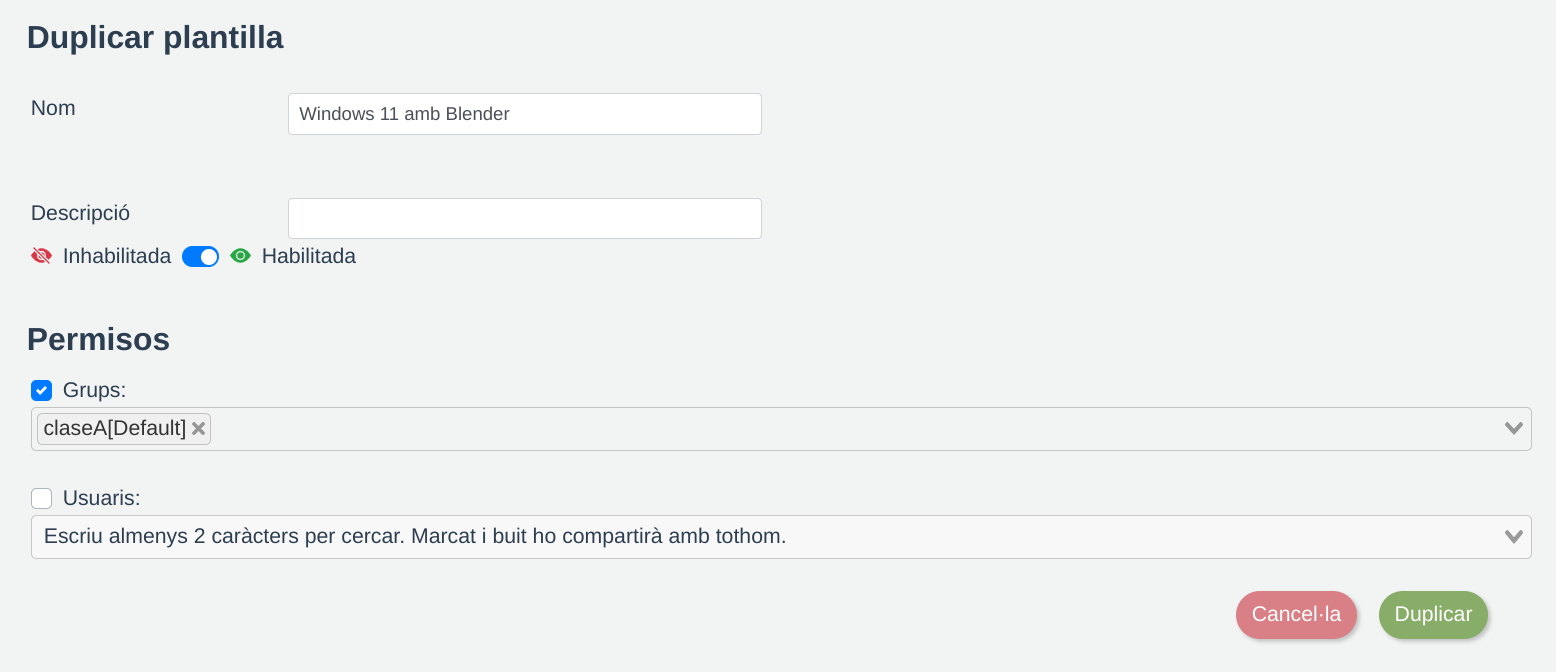
To duplicate a template and make it your own, in the Shared Templates section, select the template by clicking the  icon.
You are redirected to the page where you can duplicate it.
Important
Duplicating a shared template creates a copy where you are the owner. This allows you to customize the template, including modifying the users with whom it is shared.
Duplicating creates a new template, owned by the user, from an existing one, usually a shared one.
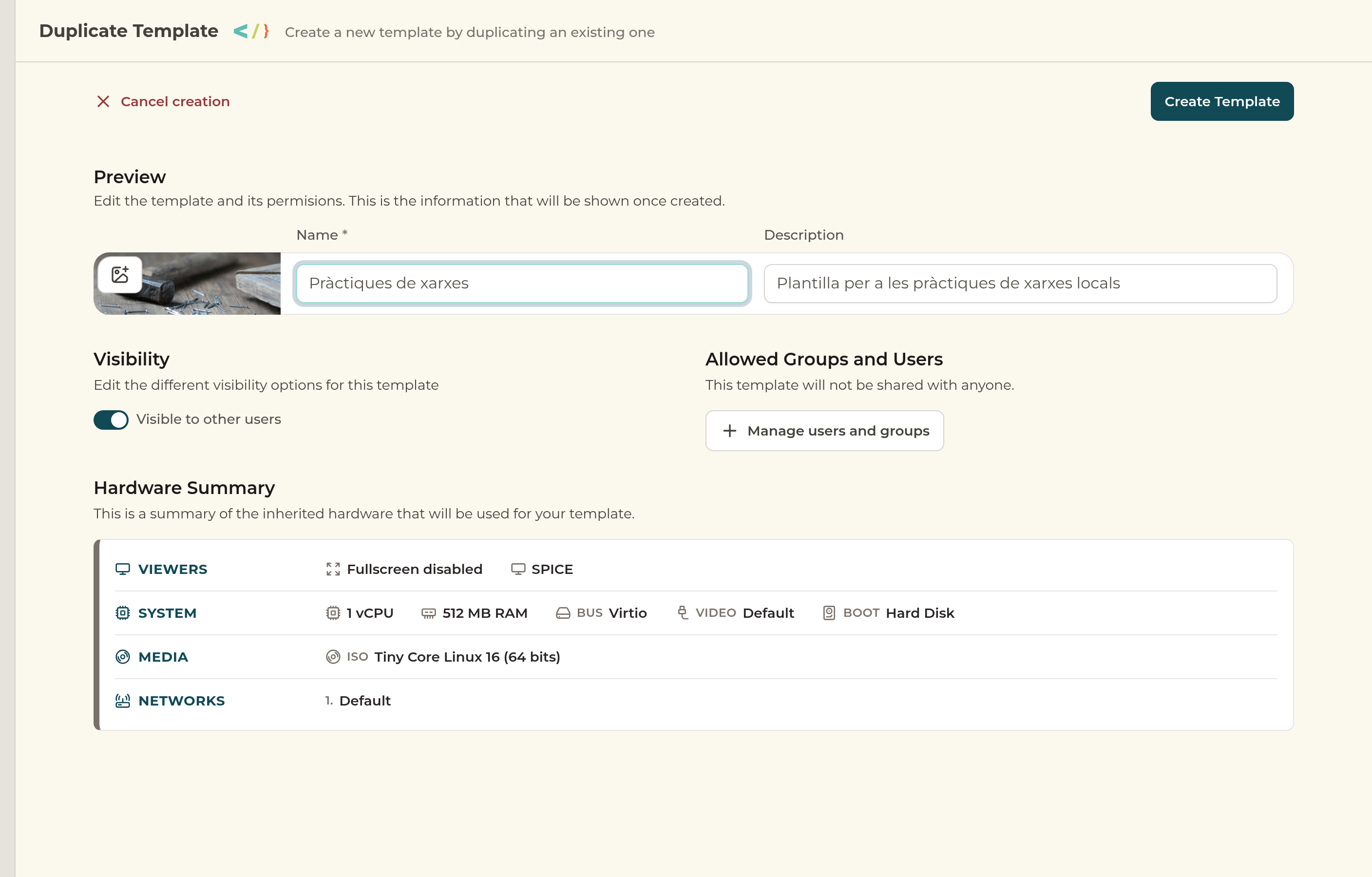
- Click Duplicate Template: in Shared Templates it is in the row; in Owned Templates, in the row's more-actions menu. The template quota is checked before the form opens.
- Fill in the Name field of the new template and, optionally, the Description. The image can be changed; otherwise, the copy inherits the one from the original.
- Adjust the Visibility (by default, Visible to other users is enabled) and the Allowed Groups and Users. The copy does not inherit the permissions of the original: by default, it is not shared with anyone.
- Review the Hardware Summary and click Create Template.
What is copied
The copy retains the configuration of the original template (hardware, network, credentials, and viewers) and continues to share its disk: storage space is not duplicated. The MAC addresses of the interfaces are regenerated.
Conditions and messages
- Only the advanced, manager and administrator roles can duplicate it, and only templates they have access to.
- If the template quota has been exceeded, the «Template creation quota exceeded» dialog appears with the message «Template creation quota exceeded. A template must be deleted in order to create a new one.»
- The name (4 to 50 characters) must be unique among the user's templates; if it already exists, «Please choose a different name.» The description can have up to 255 characters.
- A template with errors cannot be duplicated: «This template failed and can't be duplicated.»
- If the template's disk is not ready yet: «This template's disk is not ready, so it can't be duplicated. Please contact the administrator.»
- The operation can be cancelled at any time with Cancel creation.
Details for development
For those who develop or integrate IsardVDI: where in the code each element of this section is located, from which version it has been available, which API operation it calls, and what messages it may return.
- New interface · file
components/domain/DomainInfoSection.vue:327· interface text (translation key)components.domain.configuration.preview.title- since v17.27.0 (2026-08-31,
bbeb172591)
- since v17.27.0 (2026-08-31,
- New interface · file
components/domain/DomainInfoSection.vue:330· interface text (translation key)components.domain.configuration.preview.description- since v17.27.0 (2026-08-31,
bbeb172591)
- since v17.27.0 (2026-08-31,
- New interface · file
components/domain/DomainInfoSection.vue:390· interface text (translation key)components.domain.configuration.kind.title- since v17.21.0 (2026-08-21,
0c119dff4f)
- since v17.21.0 (2026-08-21,
- New interface · file
components/domain/DomainInfoSection.vue:393· interface text (translation key)components.domain.configuration.kind.description- since v17.21.0 (2026-08-21,
0c119dff4f)
- since v17.21.0 (2026-08-21,
- New interface · file
views/TemplatesView.vue:717· interface text (translation key)views.templates.table.actions.duplicate- since v17.0.0 (2026-04-24,
f31b874d89) - on click:
handleWithTemplateQuotaCheck(() => router.push({ name: 'duplicate-template', params: { templateId: row.id } }) ) - calls:
GET /api/v4/quota/template/new — Check templates quota - calls:
navigation to the «duplicate-template» route
- since v17.0.0 (2026-04-24,
- New interface · file
views/DuplicateTemplateFormView.vue:212· interface text (translation key)components.templates.quota-exceeded-modal.title- since v17.0.0 (2026-04-24,
f31b874d89)
- since v17.0.0 (2026-04-24,
- New interface · file
views/DuplicateTemplateFormView.vue:213· interface text (translation key)components.templates.quota-exceeded-modal.description- since v17.0.0 (2026-04-24,
f31b874d89)
- since v17.0.0 (2026-04-24,
- New interface · file
views/DuplicateTemplateFormView.vue:214· interface text (translation key)components.templates.quota-exceeded-modal.cancel- since v17.0.0 (2026-04-24,
f31b874d89)
- since v17.0.0 (2026-04-24,
- New interface · file
views/DuplicateTemplateFormView.vue:223· interface text (translation key)views.new-template.header.create-template- since v17.0.0 (2026-04-24,
f31b874d89)
- since v17.0.0 (2026-04-24,
- New interface · file
views/DuplicateTemplateFormView.vue:259· interface text (translation key)views.new-template.form.sections.visibility.title- since v17.0.0 (2026-04-24,
f31b874d89)
- since v17.0.0 (2026-04-24,
- New interface · file
views/DuplicateTemplateFormView.vue:262· interface text (translation key)views.new-template.form.sections.visibility.subtitle- since v17.0.0 (2026-04-24,
f31b874d89)
- since v17.0.0 (2026-04-24,
- New interface · file
views/DuplicateTemplateFormView.vue:270· interface text (translation key)views.new-template.form.sections.visibility.label- since v17.0.0 (2026-04-24,
f31b874d89)
- since v17.0.0 (2026-04-24,
- New interface · file
views/DuplicateTemplateFormView.vue:278· interface text (translation key)views.new-template.form.sections.alloweds.title- since v17.0.0 (2026-04-24,
f31b874d89)
- since v17.0.0 (2026-04-24,
- New interface · file
views/DuplicateTemplateFormView.vue:293· interface text (translation key)users.count.groups- since v17.0.0 (2026-04-24,
f31b874d89)
- since v17.0.0 (2026-04-24,
- New interface · file
views/DuplicateTemplateFormView.vue:296· interface text (translation key)users.count.users- since v17.0.0 (2026-04-24,
f31b874d89)
- since v17.0.0 (2026-04-24,
- New interface · file
views/DuplicateTemplateFormView.vue:303· interface text (translation key)views.new-template.form.sections.alloweds.button- since v17.0.0 (2026-04-24,
f31b874d89) - on click:
showAllowedModal = true
- since v17.0.0 (2026-04-24,
- New interface · file
views/DuplicateTemplateFormView.vue:319· interface text (translation key)views.new-template.form.sections.hardware.title- since v17.0.0 (2026-04-24,
f31b874d89)
- since v17.0.0 (2026-04-24,
- New interface · file
views/DuplicateTemplateFormView.vue:322· interface text (translation key)views.new-template.form.sections.hardware.subtitle- since v17.0.0 (2026-04-24,
f31b874d89)
- since v17.0.0 (2026-04-24,
- New interface · file
components/domain/DomainInfoSection.vue:221· interface text (translation key)views.new-template.form.sections.preview.title- since v17.0.0 (2026-04-24,
f31b874d89)
- since v17.0.0 (2026-04-24,
- New interface · file
components/domain/DomainInfoSection.vue:224· interface text (translation key)views.new-template.form.sections.preview.subtitle- since v17.0.0 (2026-04-24,
f31b874d89)
- since v17.0.0 (2026-04-24,
- New interface · file
components/domain/DomainInfoSection.vue:261· interface text (translation key)views.new-template.form.sections.preview.fields.name.label- since v17.0.0 (2026-04-24,
f31b874d89)
- since v17.0.0 (2026-04-24,
- New interface · file
components/domain/DomainInfoSection.vue:272· interface text (translation key)views.new-template.form.sections.preview.fields.name.placeholder- since v17.0.0 (2026-04-24,
f31b874d89)
- since v17.0.0 (2026-04-24,
- New interface · file
components/domain/DomainInfoSection.vue:291· interface text (translation key)views.new-template.form.sections.preview.fields.description.label- since v17.0.0 (2026-04-24,
f31b874d89)
- since v17.0.0 (2026-04-24,
- New interface · file
components/domain/DomainInfoSection.vue:302· interface text (translation key)views.new-template.form.sections.preview.fields.description.placeholder- since v17.0.0 (2026-04-24,
f31b874d89)
- since v17.0.0 (2026-04-24,
- New interface · file
components/domain/DomainInfoSection.vue:364· interface text (translation key)components.desktops.desktop-card.status.stopped.action- since v17.0.0 (2026-04-24,
f31b874d89)
- since v17.0.0 (2026-04-24,
- New interface · file
components/domain/DomainInfoSection.vue:428· interface text (translation key)components.domain.info.name.label- since v17.0.0 (2026-04-24,
f31b874d89)
- since v17.0.0 (2026-04-24,
- New interface · file
components/domain/DomainInfoSection.vue:436· interface text (translation key)components.domain.info.name.placeholder- since v17.0.0 (2026-04-24,
f31b874d89)
- since v17.0.0 (2026-04-24,
- New interface · file
components/domain/DomainInfoSection.vue:450· interface text (translation key)components.domain.info.description.label- since v17.0.0 (2026-04-24,
f31b874d89)
- since v17.0.0 (2026-04-24,
- New interface · file
components/domain/DomainInfoSection.vue:459· interface text (translation key)components.domain.info.description.placeholder- since v17.0.0 (2026-04-24,
f31b874d89)
- since v17.0.0 (2026-04-24,
- New interface · file
components/domain/DomainInfoSection.vue:250· interface text (translation key)components.change-image-modal.title- since v17.0.0 (2026-04-16,
744187a25d) - on click:
emit('change-image')
- since v17.0.0 (2026-04-16,
- New interface · file
components/domain/DomainInfoSection.vue:380· interface text (translation key)components.domain.configuration.preview.start-disabled
Commit code fe99ad98.
Cancel
To cancel the creation of a template, click the following icon.
This button appears in two places within templates:
- In the dialog that appears when clicking New Template if the user has no persistent desktop (see the «New desktop» section): Cancel closes the dialog and stays on Templates, without creating anything.
- In the creation and edit forms, the header offers Cancel creation or Cancel editing. If data has been entered, it asks for confirmation with «Discard and exit?» before leaving: Keep editing keeps the form and Discard and exit discards the information entered.
Conditions and messages
- Canceling does not create or modify any template.
Development details
For those who develop or integrate IsardVDI: where each element of this section is located in the code, since which version it has been available, when it is displayed, which API operation it calls, and what messages it may return.
- New interface · file
views/TemplatesView.vue:378· interface text (translation key)components.templates.no-desktops-modal.cancel- since v17.71.0 (2026-10-16,
943f8ae0e7) - on click:
noDesktopsModalOpen = false
- since v17.71.0 (2026-10-16,
- New interface · file
components/templates/template-to-desktop-modal/TemplateToDesktopModal.vue:158· interface text (translation key)components.templates.convert-to-desktop-modal.title- since v17.0.0 (2026-04-24,
f31b874d89)
- since v17.0.0 (2026-04-24,
- New interface · file
components/templates/template-to-desktop-modal/TemplateToDesktopModal.vue:175· interface text (translation key)components.templates.convert-to-desktop-modal.alert.title- since v17.0.0 (2026-04-24,
f31b874d89) - displayed when convertBlocked and convertBlocked and convertBlockedReason (
NO (templateTreeIsPending) ; v-else-if: convertBlocked ; v-if: convertBlocked && convertBlockedReason)
- since v17.0.0 (2026-04-24,
- New interface · file
components/templates/template-to-desktop-modal/TemplateToDesktopModal.vue:269· interface text (translation key)components.templates.convert-to-desktop-modal.form.name.label- since v17.0.0 (2026-04-24,
f31b874d89) - displayed when not convertBlocked (
NO (templateTreeIsPending) ; NO (convertBlocked))
- since v17.0.0 (2026-04-24,
- New interface · file
components/templates/template-to-desktop-modal/TemplateToDesktopModal.vue:283· interface text (translation key)components.templates.convert-to-desktop-modal.form.name.description- since v17.0.0 (2026-04-24,
f31b874d89) - displayed when not convertBlocked (
NO (templateTreeIsPending) ; NO (convertBlocked))
- since v17.0.0 (2026-04-24,
- New interface · file
components/templates/template-to-desktop-modal/TemplateToDesktopModal.vue:293· interface text (translation key)components.templates.convert-to-desktop-modal.cancel- since v17.0.0 (2026-04-24,
f31b874d89) - on click:
emit('close')
- since v17.0.0 (2026-04-24,
- New interface · file
components/templates/template-to-desktop-modal/TemplateToDesktopModal.vue:309· interface text (translation key)components.templates.convert-to-desktop-modal.confirm- since v17.0.0 (2026-04-24,
f31b874d89) - always displayed (
v-if: !templateTreeIsPending) - on click:
form.handleSubmit
- since v17.0.0 (2026-04-24,
Commit code 7744c96b.
New Desktop
To create a new desktop, click the following icon:
You can assign any name/description, choose whether to enable/disable it (make it visible/invisible), and share it with groups/users
When New Template is clicked and the user has no persistent desktop to create it from, a warning dialog appears with the title «No desktops ready to become a template» and the text «Only stopped persistent desktops that are not part of a deployment can be turned into a template.»
- Click New desktop to go to the desktop creation page, or Cancel to close the dialog.
- Create the desktop and, once it has been created and stopped, go back to Templates to make a template from it.
Conditions and messages
- Before going to the creation page, the desktop quota is checked; if it is used up, «Desktop creation quota exceeded. A desktop must be deleted in order to create a new one.» appears.
- It is considered that there is no source when the desktop list does not contain any persistent desktop; if the list cannot be loaded, the new template form is still opened, which displays its own loading error.
Development details
For those who develop or integrate IsardVDI: where in the code each element of this section is located, from which version it has been available, when it is displayed, which API operation it calls, and what messages it can return.
- New interface · file
views/TemplatesView.vue:389· interface text (translation key)components.templates.no-desktops-modal.new-desktop- since v17.71.0 (2026-10-16,
943f8ae0e7) - on click:
() => { noDesktopsModalOpen = false handleWithDesktopQuotaCheck(() => router.push({ name: 'new-desktop' })) } - calls:
navigation to the «new-desktop» route
- since v17.71.0 (2026-10-16,
- New interface · file
views/NewDesktopView.vue:220· interface text (translation key)components.desktops.quota-exceeded-modal.title- since v17.0.0 (2026-04-24,
f31b874d89)
- since v17.0.0 (2026-04-24,
- New interface · file
views/NewDesktopView.vue:221· interface text (translation key)components.desktops.quota-exceeded-modal.description- since v17.0.0 (2026-04-24,
f31b874d89)
- since v17.0.0 (2026-04-24,
- New interface · file
views/NewDesktopView.vue:222· interface text (translation key)components.desktops.quota-exceeded-modal.cancel- since v17.0.0 (2026-04-24,
f31b874d89)
- since v17.0.0 (2026-04-24,
- New interface · file
views/NewDesktopView.vue:231· interface text (translation key)components.desktops.storage-unavailable-modal.title- since v17.0.0 (2026-04-24,
f31b874d89)
- since v17.0.0 (2026-04-24,
- New interface · file
views/NewDesktopView.vue:232· interface text (translation key)components.desktops.storage-unavailable-modal.description- since v17.0.0 (2026-04-24,
f31b874d89)
- since v17.0.0 (2026-04-24,
- New interface · file
views/NewDesktopView.vue:238· interface text (translation key)components.desktops.storage-unavailable-modal.go-to-desktops- since v17.0.0 (2026-04-24,
f31b874d89) - on click:
router.push({ name: 'desktops' }) - calls:
navigation to the «desktops» route
- since v17.0.0 (2026-04-24,
- New interface · file
components/templates/template-to-desktop-modal/TemplateToDesktopModal.vue:158· interface text (translation key)components.templates.convert-to-desktop-modal.title- since v17.0.0 (2026-04-24,
f31b874d89)
- since v17.0.0 (2026-04-24,
- New interface · file
components/templates/template-to-desktop-modal/TemplateToDesktopModal.vue:175· interface text (translation key)components.templates.convert-to-desktop-modal.alert.title- since v17.0.0 (2026-04-24,
f31b874d89) - displays convertBlocked and convertBlocked and convertBlockedReason (
NO (templateTreeIsPending) ; v-else-if: convertBlocked ; v-if: convertBlocked && convertBlockedReason)
- since v17.0.0 (2026-04-24,
- New interface · file
components/templates/template-to-desktop-modal/TemplateToDesktopModal.vue:269· interface text (translation key)components.templates.convert-to-desktop-modal.form.name.label- since v17.0.0 (2026-04-24,
f31b874d89) - displays when not convertBlocked (
NO (templateTreeIsPending) ; NO (convertBlocked))
- since v17.0.0 (2026-04-24,
- New interface · file
components/templates/template-to-desktop-modal/TemplateToDesktopModal.vue:283· interface text (translation key)components.templates.convert-to-desktop-modal.form.name.description- since v17.0.0 (2026-04-24,
f31b874d89) - displays when not convertBlocked (
NO (templateTreeIsPending) ; NO (convertBlocked))
- since v17.0.0 (2026-04-24,
- New interface · file
components/templates/template-to-desktop-modal/TemplateToDesktopModal.vue:293· interface text (translation key)components.templates.convert-to-desktop-modal.cancel- since v17.0.0 (2026-04-24,
f31b874d89) - on click:
emit('close')
- since v17.0.0 (2026-04-24,
- New interface · file
components/templates/template-to-desktop-modal/TemplateToDesktopModal.vue:309· interface text (translation key)components.templates.convert-to-desktop-modal.confirm- since v17.0.0 (2026-04-24,
f31b874d89) - always displayed (
v-if: !templateTreeIsPending) - on click:
form.handleSubmit
- since v17.0.0 (2026-04-24,
Commit code 7744c96b.
Delete
Deleting templates
When a template is created from a desktop, its disk is duplicated. When generating a new desktop from a template, an additional disk is created in storage that depends on the original template's disk. Advanced users can only delete their own templates; if there are dependencies with other users, the manager/administrator user must be informed.
To delete a template, click the icon 
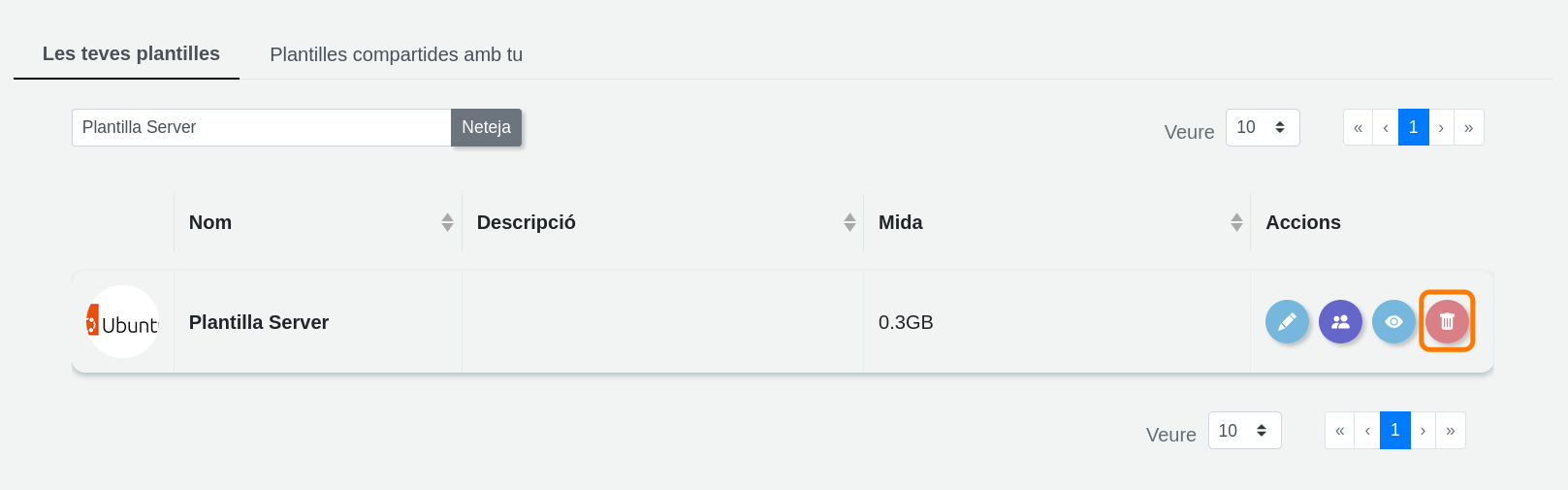
Template management in the system may vary depending on the presence of dependencies. Depending on whether the template has dependencies or not, a specific notification will be generated.
For templates without dependencies:
If a template has no dependencies, this means that no other users' desktops have been created based on this template, and it can be deleted without issues. In this case, you can proceed directly with deleting the template.
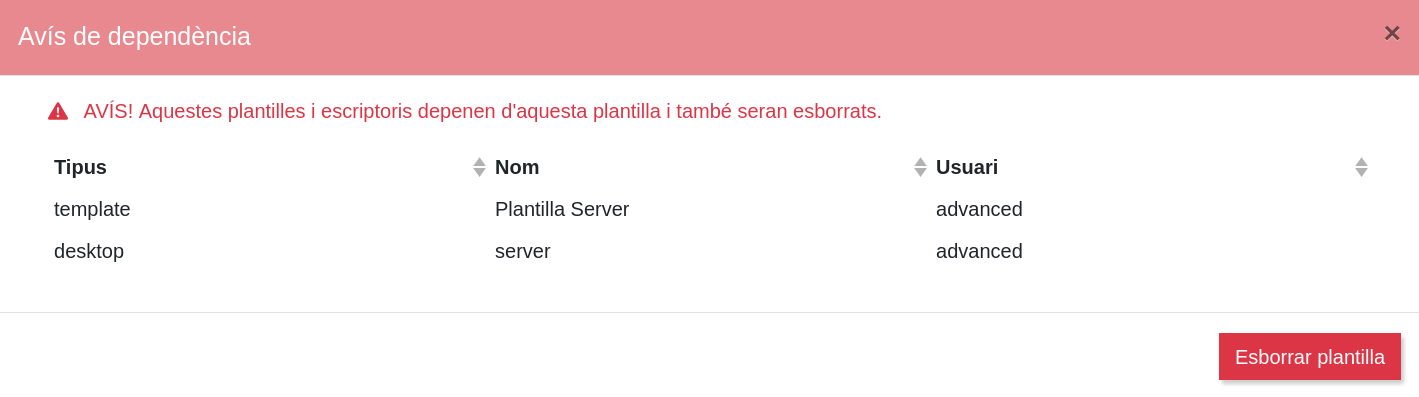
For templates with dependencies:
If a template has dependencies, indicating that other users' desktops have been created originating from this template, a different action is required. In this case, you must notify the corresponding manager or administrator of your intention to delete the template. The manager or administrator will take the appropriate measures to assess the situation and, if applicable, proceed with deleting the template, ensuring that other users' desktops are or are not affected by the process.
For the advanced role, other users' dependencies are shown as «--», because it is not allowed to see their data. The manager role sees the names of users and desktops of their category, and the administrator, those of all categories.
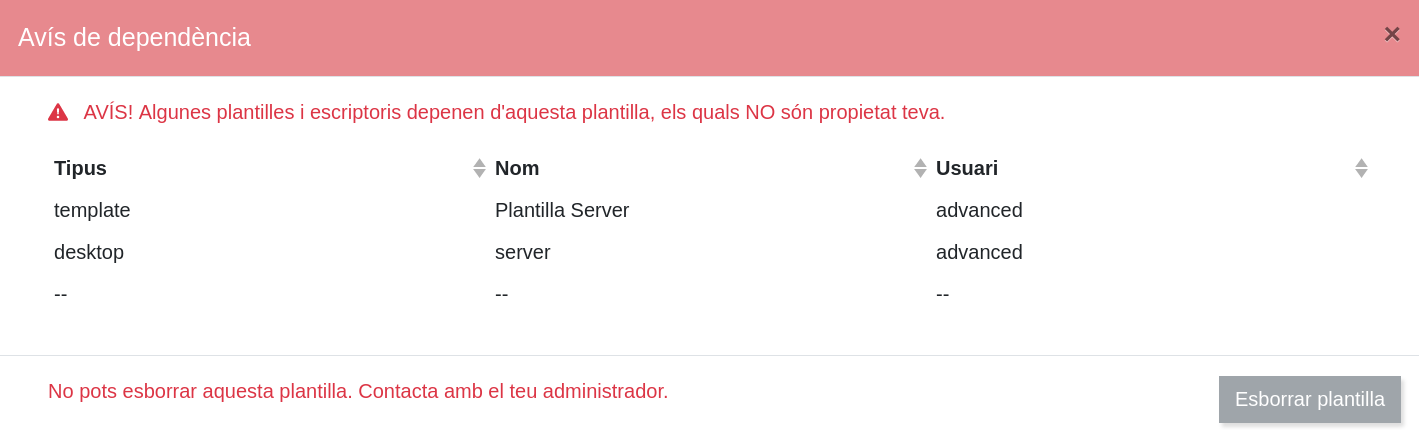
Deleting a template also deletes the desktops, templates and deployments derived from it.
- In Owned Templates, in the row's more-actions menu, click Delete Template.
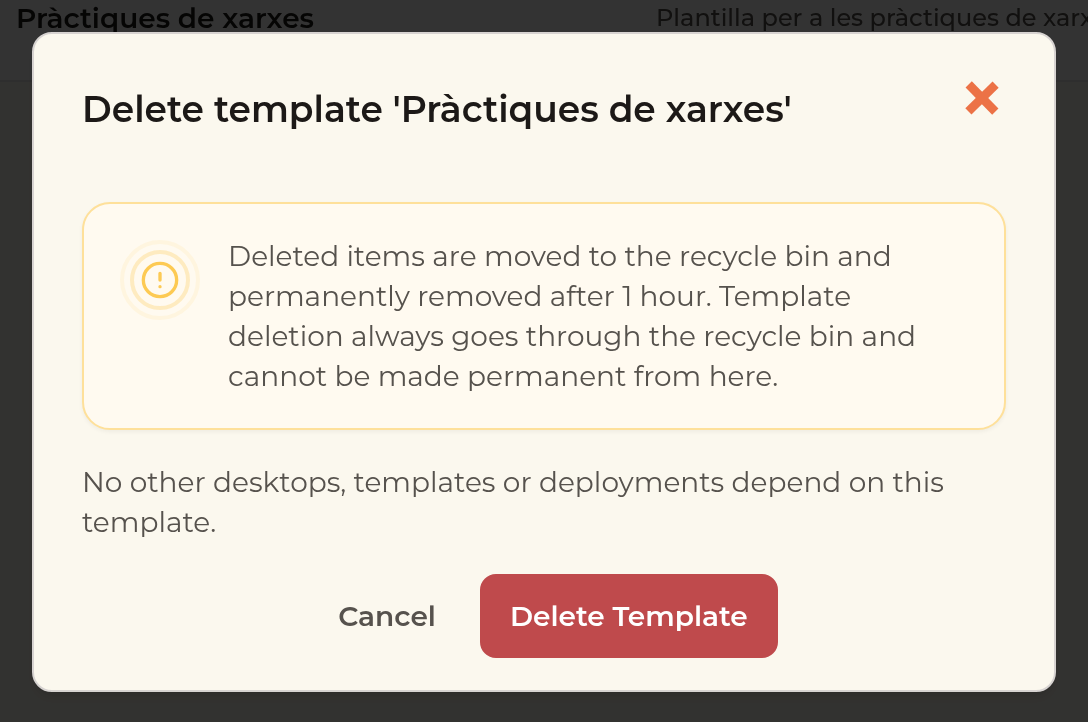
- Review the «Delete template 'name'» dialog:
- If nothing depends on it: «No other desktops, templates or deployments depend on this template.».
- If items depend on it: the Dependency warning («The following desktops, templates and deployments depend on this template and will be deleted together with their disks.»), the count «N items will be deleted», the breakdown «N desktops · N templates · N deployments · N hidden» and a table with the Kind, Name and User columns. Items the user cannot see are shown as hidden («*»).
- Click Delete Template to confirm, or Cancel.
The dialog also says what will happen with the recycle bin:
- «Deleted items are moved to the recycle bin and permanently removed after time. Template deletion always goes through the recycle bin and cannot be made permanent from here.»
- «Deleted items are removed permanently and cannot be recovered.» (retention of 0 hours).
- «Deleted items are moved to the recycle bin and are not removed automatically.» (no limit).
When it finishes, a notice says how many items have been moved to the recycle bin, with the Open recycle bin button, or how many have been permanently deleted.
Depends on the administration
The recycle bin retention time is set in the recycle bin configuration. See also Recycle bin.
Conditions and messages
- If some derived items do not belong to the user, the warning says «Some desktops, templates or deployments that depend on this template are not yours. Please contact an administrator to delete this template.» and the confirm button is disabled.
- Administrators also see the Derivatives in other categories warning («Some derivatives of this template belong to other categories. Deleting it will also affect items outside your own category.») when there are any.
- Cancel closes the dialog without deleting anything.
Development details
For those who develop or integrate IsardVDI: where each element of this section is in the code, from which version it is available, which API operation it calls, and what messages it can return.
- New interface · file
components/templates/template-delete-modal/TemplateDeleteModal.vue:174· interface text (translation key)components.templates.delete-confirmation-modal.recycle-bin.temporary- since v17.27.0 (2026-08-27,
f00bf12015)
- since v17.27.0 (2026-08-27,
- New interface · file
components/templates/template-delete-modal/TemplateDeleteModal.vue:179· interface text (translation key)components.templates.delete-confirmation-modal.recycle-bin.permanent- since v17.27.0 (2026-08-27,
f00bf12015)
- since v17.27.0 (2026-08-27,
- New interface · file
components/templates/template-delete-modal/TemplateDeleteModal.vue:182· interface text (translation key)components.templates.delete-confirmation-modal.recycle-bin.infinite- since v17.27.0 (2026-08-27,
f00bf12015)
- since v17.27.0 (2026-08-27,
- New interface · file
components/templates/template-delete-modal/TemplateDeleteModal.vue:192· interface text (translation key)components.templates.delete-confirmation-modal.fields.cross-category.title- since v17.27.0 (2026-08-27,
081e60f007)
- since v17.27.0 (2026-08-27,
- New interface · file
components/templates/template-delete-modal/TemplateDeleteModal.vue:195· interface text (translation key)components.templates.delete-confirmation-modal.fields.cross-category.description- since v17.27.0 (2026-08-27,
081e60f007)
- since v17.27.0 (2026-08-27,
- New interface · file
components/templates/template-delete-modal/TemplateDeleteModal.vue:219· interface text (translation key)components.templates.delete-confirmation-modal.fields.summary.total- since v17.27.0 (2026-08-27,
f00bf12015)
- since v17.27.0 (2026-08-27,
- New interface · file
components/templates/template-delete-modal/TemplateDeleteModal.vue:224· interface text (translation key)components.templates.delete-confirmation-modal.fields.summary.breakdown- since v17.27.0 (2026-08-27,
f00bf12015)
- since v17.27.0 (2026-08-27,
- New interface · file
views/TemplatesView.vue:731· interface text (translation key)views.templates.table.actions.delete- since v17.0.0 (2026-04-24,
f31b874d89) - on click:
deleteModalData = { id: row.id, name: row.name }
- since v17.0.0 (2026-04-24,
- New interface · file
components/templates/template-delete-modal/TemplateDeleteModal.vue:157· interface text (translation key)components.templates.delete-confirmation-modal.title- since v17.0.0 (2026-04-24,
f31b874d89)
- since v17.0.0 (2026-04-24,
- New interface · file
components/templates/template-delete-modal/TemplateDeleteModal.vue:201· interface text (translation key)components.templates.delete-confirmation-modal.subtitle- since v17.0.0 (2026-04-24,
f31b874d89)
- since v17.0.0 (2026-04-24,
- New interface · file
components/templates/template-delete-modal/TemplateDeleteModal.vue:210· interface text (translation key)components.templates.delete-confirmation-modal.fields.dependency.alert.title- since v17.0.0 (2026-04-24,
f31b874d89)
- since v17.0.0 (2026-04-24,
- New interface · file
components/templates/template-delete-modal/TemplateDeleteModal.vue:322· interface text (translation key)components.templates.delete-confirmation-modal.cancel- since v17.0.0 (2026-04-24,
f31b874d89) - on click:
emit('close')
- since v17.0.0 (2026-04-24,
- New interface · file
components/templates/template-delete-modal/TemplateDeleteModal.vue:342· interface text (translation key)components.templates.delete-confirmation-modal.confirm- since v17.0.0 (2026-04-24,
f31b874d89) - on click:
deleteTemplate({ path: { template_id: props.templateId } }) - call:
DELETE /api/v4/item/template/{template_id} — Delete template
- since v17.0.0 (2026-04-24,
- New interface · file
components/templates/template-delete-modal/TemplateDeleteModal.vue:212· interface text (translation key)components.templates.delete-confirmation-modal.fields.dependency.alert.pending- since v17.0.0 (2026-04-24,
f31b874d89)
- since v17.0.0 (2026-04-24,
- New interface · file
components/templates/template-delete-modal/TemplateDeleteModal.vue:212· interface text (translation key)components.templates.delete-confirmation-modal.fields.dependency.alert.description- since v17.0.0 (2026-04-24,
f31b874d89)
- since v17.0.0 (2026-04-24,
- New interface · file
components/templates/template-delete-modal/TemplateDeleteModal.vue:235· interface text (translation key)components.templates.delete-confirmation-modal.fields.dependency.datatable.headers.kind- since v17.0.0 (2026-04-24,
f31b874d89)
- since v17.0.0 (2026-04-24,
- New interface · file
components/templates/template-delete-modal/TemplateDeleteModal.vue:235· interface text (translation key)components.templates.delete-confirmation-modal.fields.dependency.datatable.headers.name- since v17.0.0 (2026-04-24,
f31b874d89)
- since v17.0.0 (2026-04-24,
- New interface · file
components/templates/template-delete-modal/TemplateDeleteModal.vue:235· interface text (translation key)components.templates.delete-confirmation-modal.fields.dependency.datatable.headers.user- since v17.0.0 (2026-04-24,
f31b874d89)
- since v17.0.0 (2026-04-24,
Commit code fe99ad98.
States and messages
| What is shown | What it means | What to do |
|---|---|---|
| «Allowed users and groups updated» | When the user attempts to update the allowed users and groups of a template and the operation is successful. | The user can continue with their tasks. |
| «Could not update the allowed users and groups» | When the user attempts to update the allowed users and groups of a template and the operation fails. | The user must review the permissions or try again. |
| «Failed template» | Template with errors. | — |
| «This template failed and can't be used to create desktops or deployments» | This template has failed and cannot be used to create desktops or deployments. | — |
| «This template isn't ready yet and can't be used to create desktops or deployments» | This template is not yet ready and cannot be used to create desktops or deployments. | — |
| «Hidden template» | Hidden template. | — |
| «This template is hidden: other users can't create desktops from it» | This template is hidden: other users cannot create desktops from it. | — |
| «Update Alloweds» | Update permissions. | — |
| «New Template» | New template. | — |
| «Edit Template» | Edit the template. | — |
| «Convert to Desktop» | Convert to desktop. | — |
| «Delete Template» | Delete the template. | — |
| «Duplicate Template» | Duplicate the template. | — |
| «Information» | Information. | — |
Template states
Templates can be in one of three states: active, hidden, or with errors. The state determines which actions can be performed and who can use the template.
Templates with errors are locked for everyone: they cannot be selected or used to create desktops or deployments. Hidden templates prevent other users from creating desktops from them, but the owner, managers of its category, and administrators retain management options.
Permission and visibility management
The template owner, the managers of its category and the administrators can hide it or make it visible.
To update the users and groups that have permission to access a template, use the Update Alloweds action.
Available actions on templates
The available actions depend on the user's role. Users can only view templates that belong to them or that have been shared with them, and they cannot modify templates that do not belong to them. * Duplicate Template: Creates a copy of the selected template. * Convert to Desktop: converts the template into a desktop (the template no longer exists). * Delete Template: Removes the template from the list.