Desktop status
Roles with access
- Access to the section: any user.
Each desktop shows a status on its card, which indicates what it is doing at each moment and which actions can be done on it.
In the side menu, the section Desktops; this feature is within that screen.
Card states
On the desktop card, the state appears with these labels:
| State | Meaning | Button shown |
|---|---|---|
| Stopped | The desktop is powered off | Start |
| Started | it is running and can be used | Stop |
| Waiting IP | It is starting up and waiting for the network connection | Stop |
| Failed / Crashed | There was an error starting it | Retry |
| Suspended / Paused | It is frozen in memory | Stop |
| Downloading | The desktop base data is being downloaded | — |
| Creating · Resetting · Processing | An operation is in progress; you must wait | — |
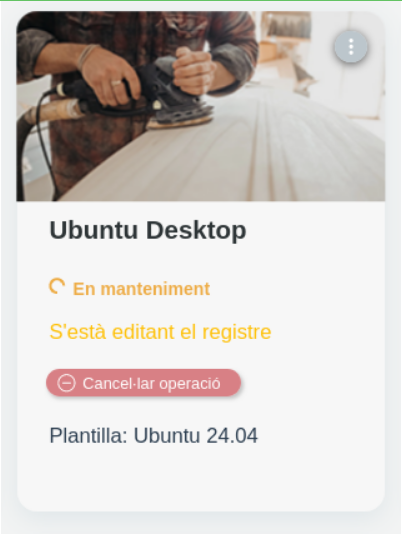
| Under maintenance | An operation is being performed on the storage disk | Cancel operation |
A desktop can be in Maintenance mode. This state means that an operation is being performed on the desktop's storage disk. Until the action is complete, the system prevents the user from starting the desktop to avoid issues with their data. Below the state, the specific disk operation currently being performed is displayed. These actions may have been initiated by the user themselves or by a platform administrator.
In some cases, the maintenance process may take longer than expected because of a blocked process. If this happens, click the Cancel operation button. This action cancels the ongoing task and should return the desktop to a state where it can be started.
Warning
Canceling the disk operation carries a small risk that the storage disk may become corrupted, rendering the desktop unusable.
A desktop can only be edited when it is Stopped or Failed. A Under maintenance desktop cannot be started until the disk operation is complete.
On each desktop card, the state appears as a label, and the card's main button changes according to this state. While the desktop is in a transitional state (for example Starting or Stopping), the label shows a spinning icon and there is no action button: you must wait for it to finish.
| State | Meaning | Main button |
|---|---|---|
| Stopped | The desktop is powered off. | Start |
| Starting | It is starting up. | — (wait) |
| Started | It is running and can be connected to with the card's viewers. | Stop |
| Waiting IP | It is running, but the desktop has not yet communicated its IP address to the private network. The viewers are already displayed. | Stop |
| Stopping (graceful shutdown) | A shutdown has been requested from the desktop's system and it is waiting for it to complete. | Force stop |
| Stopping (forced stop) | The desktop is being forcibly stopped. | — (wait) |
| Paused / Suspended | The desktop is frozen. | Stop |
| Failed / Crashed | There was an error starting or validating it, or it was unexpectedly interrupted. | Retry |
| Creating · Creating and Starting | The desktop is being created (and, in the second case, it will start upon completion). | — (wait) |
| Downloading · Aborting download | Base data is being downloaded (or the download is being canceled). | — (wait) |
| Download failed | The base data download failed. | — (error icon) |
| Processing · Resetting · Deleting | An operation is in progress. | — (wait) |
| Under maintenance | An operation is being performed on the desktop's disk. | Cancel operation |
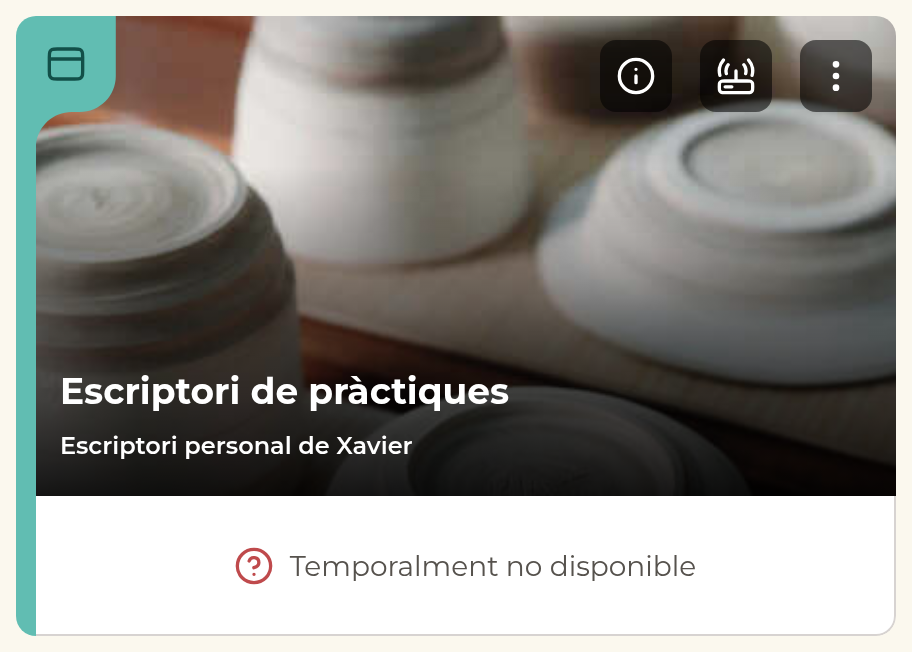
| Temporarily unavailable | A state that the interface cannot display. | — |
The label color indicates the situation at a glance: Started is shown as correct, Failed as an error, Stopped as neutral, and the remaining states as a warning.
States that depend on what the desktop has already done
- Waiting IP is not a state set separately: it is shown when the desktop is already started, has a private network interface (
wireguard), and has not yet communicated its IP. - If the desktop is already started but does not yet have the viewer password, the card still shows Starting.
- All internal creation states (except «creating and starting») are shown as Creating.
Normal desktop path: Stopped → Starting → Started → Stopping → Stopped. If starting or validation fails, the desktop ends up in Failed; with Retry it moves to Processing and then returns to Stopped (if valid) or to Failed.
Conditions and messages
- A desktop can only be started when it is Stopped or Failed. If it is already started or starting, the command does nothing.
- Stopping is accepted from Started (graceful shutdown, or forced stop if requested), from Stopping (escalation to forced stop), and from Paused.
- The card menu actions Edit, Advanced options and Delete only appear when the desktop is Stopped or Failed (and is not from a deployment). Advanced options, in addition, only appears for the administrator, manager and advanced roles. Template it only if it is Stopped and the role is not user.
- Under the Under maintenance state, the card indicates which operation is being performed on the disk: «This desktop's disk is being increased», «The registry is being edited», «This desktop's disk is being moved», «This desktop's disk is being sparsified», «This desktop's disk is giving back its zero blocks», or «A maintenance operation is in progress» if unknown.
- Under maintenance cannot be started: you must wait for the operation to finish or cancel it.
- If the desktop has a booking or a scheduled shutdown time, the card says so (e.g. «Desktop will shut down on … at …», «Booking ends on … at …» or «Position in queue: …»). The shutdown time comes from the maximum time rules that the administration defines in the Scheduler; when it approaches, the automatic shutdown warning appears.
- A temporary desktop is not reused: instead of Start or Stop, the card shows the Delete button (except for temporary ones with GPU, which can be restarted while they are Stopped).
Canceling a maintenance operation
Cancel operation asks for confirmation: «Cancel storage operation?». If confirmed with Cancel operation, the task stops and the partial files are cleaned up; with Keep running nothing changes. Cancelling an operation on the disk carries a small risk of damaging the disk. If it fails, «Could not cancel the storage operation» is shown.
Development details
For those who develop or integrate IsardVDI: where in the code each element of this section is located, from which version it is available, which API operation it calls, and what messages it may return.
- New interface · file
views/DesktopsView.vue:1622· interface text (translation key)views.desktops.view-mode.table- since v17.21.0 (2026-08-19,
e3a7128736) - on click:
viewMode = viewMode === 'cards' ? 'table' : 'cards'
- since v17.21.0 (2026-08-19,
- New interface · file
views/DesktopsView.vue:1623· interface text (translation key)views.desktops.view-mode.cards- since v17.21.0 (2026-08-19,
e3a7128736) - on click:
viewMode = viewMode === 'cards' ? 'table' : 'cards'
- since v17.21.0 (2026-08-19,
Commit code fe99ad98.
Start desktop
See Start desktop.
When the desktop is stopped, the Start button allows you to start it.
Click Start on the card of a Stopped desktop. The dialogs that may appear (GPU, quotas, errors) are described in Start desktop.
Development details
For those who develop or integrate IsardVDI: where in the code each element of this section is located, from which version it has been available, which API operation it calls, and what messages it may return.
- New interface · file
views/DesktopsView.vue:1179· interface text (translation key)components.desktops.start-error-modal.close- since v17.27.0 (2026-08-27,
081e60f007) - on click:
startErrorMessage = null
- since v17.27.0 (2026-08-27,
- New interface · file
views/DesktopsView.vue:1152· interface text (translation key)components.desktops.start-storage-unavailable-modal.go-to-desktops- since v17.0.0 (2026-06-30,
d485774635) - on click:
showStartStorageUnavailableModal = false
- since v17.0.0 (2026-06-30,
- New interface · file
views/DesktopsView.vue:1402· interface text (translation key)components.desktop-start-now-modal.cancel- since v17.0.0 (2026-04-24,
c0053af014) - on click:
startNowModalDesktopData = null
- since v17.0.0 (2026-04-24,
- New interface · file
views/DesktopsView.vue:1418· interface text (translation key)components.desktop-start-now-modal.confirm- since v17.0.0 (2026-04-24,
c0053af014) - on click:
submits the form (onSubmit)
- since v17.0.0 (2026-04-24,
- New interface · file
views/DesktopsView.vue:1459· interface text (translation key)components.desktop-gpu-unavailable-modal.change-and-start.action-button- since v17.0.0 (2026-04-24,
c0053af014) - on click:
() => { getAvailableReservables() changeAndStartModalData = { ...unavailableStartNowModalDesktopData! } unavailableStartNowModalDesktopData = null }
- since v17.0.0 (2026-04-24,
Commit code fe99ad98.
Stop desktops
See Stop desktops.
This action allows you to stop a desktop that is in the Started, Waiting for IP, or Suspended state.
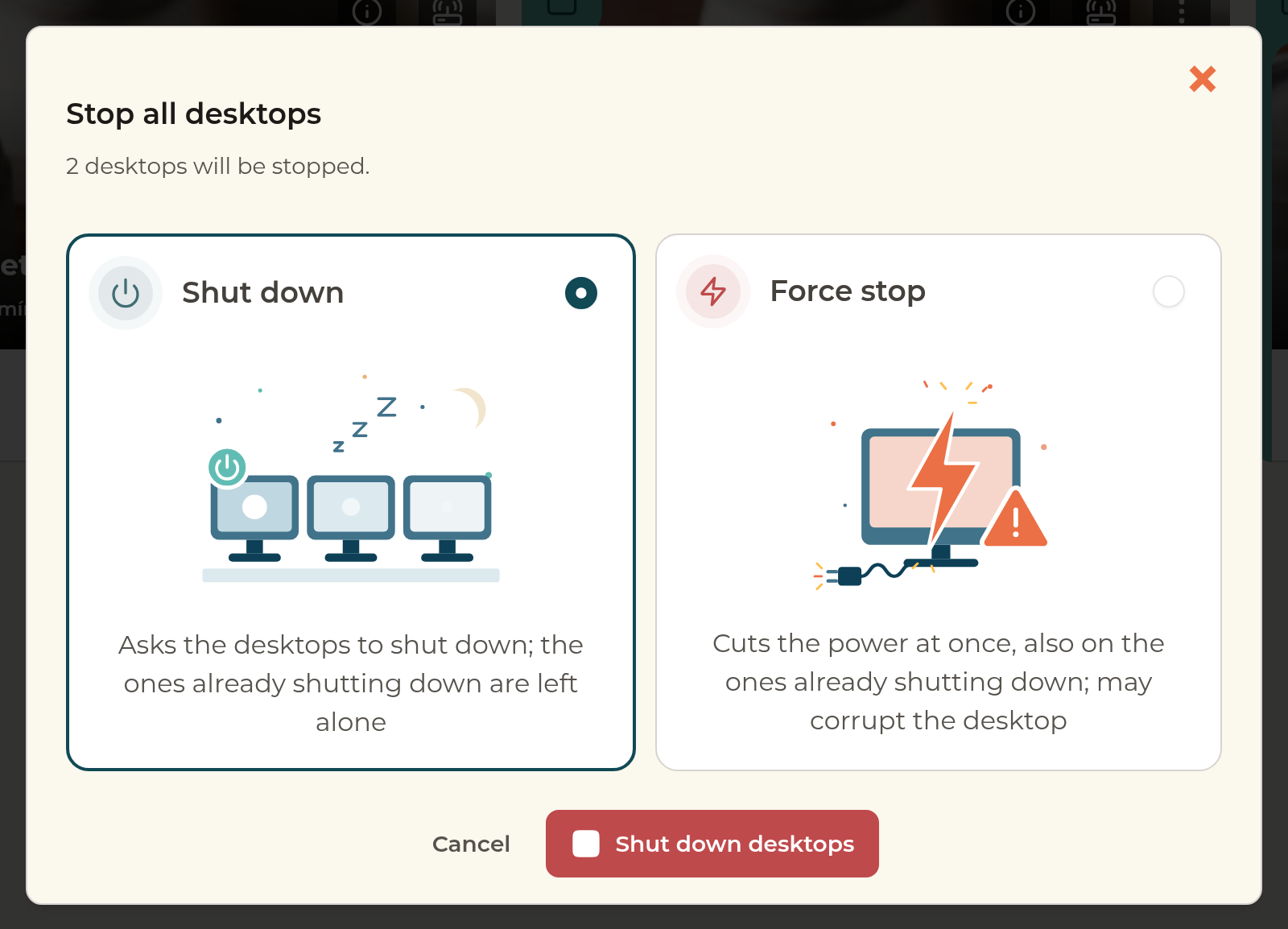
A desktop is stopped with the Stop button on its card. To stop them all at once:
- Click Stop all desktops.
- Choose the Shut down or Force stop mode.
- Confirm with Shut down desktops or Force stop desktops.
Conditions and messages
- If a desktop is already shutting down, it is left as is with the Shut down option.
- The Force stop option cuts the power immediately, also to those that are already shutting down.
- Using Force stop may corrupt the desktop.
Details for development
For those who develop or integrate IsardVDI: where in the code each element of this section is, from which version it has been available, which API operation it calls, and what messages it may return.
- New interface · file
views/DesktopsView.vue:1672· interface text (translation key)views.desktops.stop-all-tooltip.stopping- since v17.35.2 (2026-09-09,
c71bfb93b6) - on click:
openStopAllDesktopsModal
- since v17.35.2 (2026-09-09,
- New interface · file
views/DesktopsView.vue:1672· interface text (translation key)views.desktops.stop-all-tooltip.stopping- since v17.35.2 (2026-09-09,
c71bfb93b6) - on click:
openStopAllDesktopsModal
- since v17.35.2 (2026-09-09,
- New interface · file
components/modal/StopAllDesktopsModal.vue:158· interface text (translation key)components.stop-all-desktops-modal.confirm.force- since v17.35.2 (2026-09-09,
c71bfb93b6) - on click:
emit('confirm', mode === 'force')
- since v17.35.2 (2026-09-09,
- New interface · file
components/modal/StopAllDesktopsModal.vue:159· interface text (translation key)components.stop-all-desktops-modal.confirm.graceful- since v17.35.2 (2026-09-09,
c71bfb93b6) - on click:
emit('confirm', mode === 'force')
- since v17.35.2 (2026-09-09,
- New interface · file
components/modal/StopAllDesktopsModal.vue:126· interface text (translation key)components.stop-all-desktops-modal.title- since v17.35.0 (2026-09-07,
8939ec8441)
- since v17.35.0 (2026-09-07,
- New interface · file
components/modal/StopAllDesktopsModal.vue:147· interface text (translation key)components.stop-all-desktops-modal.cancel- since v17.35.0 (2026-09-07,
8939ec8441) - on click:
emit('close')
- since v17.35.0 (2026-09-07,
- New interface · file
views/DesktopsView.vue:1173· interface text (translation key)components.desktops.start-error-modal.title- since v17.27.0 (2026-08-27,
081e60f007)
- since v17.27.0 (2026-08-27,
- New interface · file
views/DesktopsView.vue:1179· interface text (translation key)components.desktops.start-error-modal.close- since v17.27.0 (2026-08-27,
081e60f007) - on click:
startErrorMessage = null
- since v17.27.0 (2026-08-27,
- New interface · file
views/DesktopsView.vue:1622· interface text (translation key)views.desktops.view-mode.table- since v17.21.0 (2026-08-19,
e3a7128736) - on click:
viewMode = viewMode === 'cards' ? 'table' : 'cards'
- since v17.21.0 (2026-08-19,
- New interface · file
views/DesktopsView.vue:1623· interface text (translation key)views.desktops.view-mode.cards- since v17.21.0 (2026-08-19,
e3a7128736) - on click:
viewMode = viewMode === 'cards' ? 'table' : 'cards'
- since v17.21.0 (2026-08-19,
- New interface · file
components/booking/BookingChangeAndStartModal.vue:134· interface text (translation key)components.desktop-gpu-change-and-start-modal.errors.title- since v17.1.0 (2026-07-22,
b53e82313f)
- since v17.1.0 (2026-07-22,
- New interface · file
views/DesktopsView.vue:1146· interface text (translation key)components.desktops.start-storage-unavailable-modal.title- since v17.0.0 (2026-06-30,
d485774635)
- since v17.0.0 (2026-06-30,
- New interface · file
views/DesktopsView.vue:1147· interface text (translation key)components.desktops.start-storage-unavailable-modal.description- since v17.0.0 (2026-06-30,
d485774635)
- since v17.0.0 (2026-06-30,
- New interface · file
views/DesktopsView.vue:1152· interface text (translation key)components.desktops.start-storage-unavailable-modal.go-to-desktops- since v17.0.0 (2026-06-30,
d485774635) - on click:
showStartStorageUnavailableModal = false
- since v17.0.0 (2026-06-30,
- New interface · file
views/DesktopsView.vue:1657· interface text (translation key)views.desktops.stop-all- since v17.0.0 (2026-04-24,
f31b874d89) - on click:
openStopAllDesktopsModal
- since v17.0.0 (2026-04-24,
- New interface · file
views/DesktopsView.vue:1673· interface text (translation key)views.desktops.stop-all-tooltip.title- since v17.0.0 (2026-04-24,
f31b874d89) - on click:
openStopAllDesktopsModal
- since v17.0.0 (2026-04-24,
- New interface · file
views/DesktopsView.vue:1578· interface text (translation key)views.desktops.go-to-desktops- since v17.0.0 (2026-04-24,
f31b874d89) - on click:
router.push({ name: 'desktops' }) - call:
navigation to the «desktops» route
- since v17.0.0 (2026-04-24,
- New interface · file
views/DesktopsView.vue:1130· interface text (translation key)components.desktops.storage-unavailable-modal.title- since v17.0.0 (2026-04-24,
f31b874d89)
- since v17.0.0 (2026-04-24,
- New interface · file
views/DesktopsView.vue:1131· interface text (translation key)components.desktops.storage-unavailable-modal.description- since v17.0.0 (2026-04-24,
f31b874d89)
- since v17.0.0 (2026-04-24,
- New interface · file
views/DesktopsView.vue:1136· interface text (translation key)components.desktops.storage-unavailable-modal.go-to-desktops- since v17.0.0 (2026-04-24,
f31b874d89) - on click:
showStorageUnavailableModal = false
- since v17.0.0 (2026-04-24,
- New interface · file
views/DesktopsView.vue:1190· interface text (translation key)components.delete-confirmation-modal.title- since v17.0.0 (2026-04-24,
f31b874d89)
- since v17.0.0 (2026-04-24,
- New interface · file
views/DesktopsView.vue:1191· interface text (translation key)domains.with-article.desktops- since v17.0.0 (2026-04-24,
f31b874d89)
- since v17.0.0 (2026-04-24,
- New interface · file
views/DesktopsView.vue:1208· interface text (translation key)components.delete-confirmation-modal.description.recycle-bin.title- since v17.0.0 (2026-04-24,
f31b874d89)
- since v17.0.0 (2026-04-24,
- New interface · file
views/DesktopsView.vue:1210· interface text (translation key)components.delete-confirmation-modal.description.recycle-bin.subtitle- since v17.0.0 (2026-04-24,
f31b874d89)
- since v17.0.0 (2026-04-24,
- New interface · file
views/DesktopsView.vue:1217· interface text (translation key)components.delete-confirmation-modal.description.permanent.title- since v17.0.0 (2026-04-24,
f31b874d89)
- since v17.0.0 (2026-04-24,
- New interface · file
views/DesktopsView.vue:1222· interface text (translation key)components.delete-confirmation-modal.cancel- since v17.0.0 (2026-04-24,
f31b874d89) - on click:
closeDeleteModal()
- since v17.0.0 (2026-04-24,
- New interface · file
views/DesktopsView.vue:1244· interface text (translation key)components.delete-confirmation-modal.confirm.permanent- since v17.0.0 (2026-04-24,
f31b874d89) - on click:
deleteDesktopMutate({ path: { desktop_id: deleteModalDesktopData.id }, query: { permanent: deleteIsPermanent } })
- since v17.0.0 (2026-04-24,
- New interface · file
views/DesktopsView.vue:1245· interface text (translation key)components.delete-confirmation-modal.confirm.recycle-bin- since v17.0.0 (2026-04-24,
f31b874d89) - on click:
deleteDesktopMutate({ path: { desktop_id: deleteModalDesktopData.id }, query: { permanent: deleteIsPermanent } })
- since v17.0.0 (2026-04-24,
- New interface · file
views/DesktopsView.vue:1328· interface text (translation key)components.not-enough-advanced-time-modal.title- since v17.0.0 (2026-04-24,
f31b874d89)
- since v17.0.0 (2026-04-24,
- New interface · file
views/DesktopsView.vue:1329· interface text (translation key)components.not-enough-advanced-time-modal.description- since v17.0.0 (2026-04-24,
f31b874d89)
- since v17.0.0 (2026-04-24,
- New interface · file
views/DesktopsView.vue:1334· interface text (translation key)components.not-enough-advanced-time-modal.cancel- since v17.0.0 (2026-04-24,
f31b874d89) - on click:
notEnoughAdvancedTimeModalDesktopData = null
- since v17.0.0 (2026-04-24,
- New interface · file
views/DesktopsView.vue:1342· interface text (translation key)components.not-enough-advanced-time-modal.book- since v17.0.0 (2026-04-24,
f31b874d89)
- since v17.0.0 (2026-04-24,
- New interface · file
views/DesktopsView.vue:1351· interface text (translation key)components.desktop-start-now-modal.title- since v17.0.0 (2026-04-24,
c0053af014)
- since v17.0.0 (2026-04-24,
- New interface · file
views/DesktopsView.vue:1352· interface text (translation key)components.desktop-start-now-modal.description- since v17.0.0 (2026-04-24,
c0053af014)
- since v17.0.0 (2026-04-24,
- New interface · file
views/DesktopsView.vue:1365· interface text (translation key)components.desktop-start-now-modal.select.label- since v17.0.0 (2026-04-24,
c0053af014)
- since v17.0.0 (2026-04-24,
- New interface · file
views/DesktopsView.vue:1379· interface text (translation key)components.desktop-start-now-modal.select.placeholder- since v17.0.0 (2026-04-24,
c0053af014)
- since v17.0.0 (2026-04-24,
- New interface · file
views/DesktopsView.vue:1402· interface text (translation key)components.desktop-start-now-modal.cancel- since v17.0.0 (2026-04-24,
c0053af014) - on click:
startNowModalDesktopData = null
- since v17.0.0 (2026-04-24,
- New interface · file
views/DesktopsView.vue:1418· interface text (translation key)components.desktop-start-now-modal.confirm- since v17.0.0 (2026-04-24,
c0053af014) - on click:
submits the form (onSubmit)
- since v17.0.0 (2026-04-24,
- New interface · file
views/DesktopsView.vue:1429· interface text (translation key)components.desktop-gpu-unavailable-modal.title- since v17.0.0 (2026-04-24,
c0053af014)
- since v17.0.0 (2026-04-24,
- New interface · file
views/DesktopsView.vue:1441· interface text (translation key)components.desktop-gpu-unavailable-modal.change-and-start.title- since v17.0.0 (2026-04-24,
c0053af014)
- since v17.0.0 (2026-04-24,
- New interface · file
views/DesktopsView.vue:1446· interface text (translation key)components.desktop-gpu-unavailable-modal.change-and-start.subtitle- since v17.0.0 (2026-04-24,
c0053af014)
- since v17.0.0 (2026-04-24,
- New interface · file
views/DesktopsView.vue:1459· interface text (translation key)components.desktop-gpu-unavailable-modal.change-and-start.action-button- since v17.0.0 (2026-04-24,
c0053af014) - on click:
() => { getAvailableReservables() changeAndStartModalData = { ...unavailableStartNowModalDesktopData! } unavailableStartNowModalDesktopData = null }
- since v17.0.0 (2026-04-24,
- New interface · file
views/DesktopsView.vue:1467· interface text (translation key)components.desktop-gpu-unavailable-modal.book.title- since v17.0.0 (2026-04-24,
c0053af014)
- since v17.0.0 (2026-04-24,
- New interface · file
views/DesktopsView.vue:1472· interface text (translation key)components.desktop-gpu-unavailable-modal.book.subtitle- since v17.0.0 (2026-04-24,
c0053af014)
- since v17.0.0 (2026-04-24,
- New interface · file
views/DesktopsView.vue:1480· interface text (translation key)components.desktop-gpu-unavailable-modal.book.action-button- since v17.0.0 (2026-04-24,
c0053af014)
- since v17.0.0 (2026-04-24,
- New interface · file
views/DesktopsView.vue:1521· interface text (translation key)domains.desktops- since v17.0.0 (2026-04-24,
f31b874d89)
- since v17.0.0 (2026-04-24,
- New interface · file
views/DesktopsView.vue:1578· interface text (translation key)views.desktops.go-to-desktops- since v17.0.0 (2026-04-24,
f31b874d89) - on click:
router.push({ name: 'desktops' }) - call:
navigation to the «desktops» route
- since v17.0.0 (2026-04-24,
- New interface · file
views/DesktopsView.vue:1589· interface text (translation key)views.desktops.new-desktop- since v17.0.0 (2026-04-24,
f31b874d89) - on click:
goToNewDesktop - call:
GET /api/v4/storage-pools/check-create-availability — Check storage pool creation availability - call:
navigation to the «new-desktop» route
- since v17.0.0 (2026-04-24,
- New interface · file
views/DesktopsView.vue:1657· interface text (translation key)views.desktops.stop-all- since v17.0.0 (2026-04-24,
f31b874d89) - on click:
openStopAllDesktopsModal
- since v17.0.0 (2026-04-24,
- New interface · file
views/DesktopsView.vue:1673· interface text (translation key)views.desktops.stop-all-tooltip.title- since v17.0.0 (2026-04-24,
f31b874d89) - on click:
openStopAllDesktopsModal
- since v17.0.0 (2026-04-24,
- New interface · file
components/booking/BookingChangeAndStartModal.vue:126· interface text (translation key)components.desktop-gpu-change-and-start-modal.title- since v17.0.0 (2026-04-24,
c0053af014)
- since v17.0.0 (2026-04-24,
- New interface · file
components/booking/BookingChangeAndStartModal.vue:130· interface text (translation key)components.desktop-gpu-change-and-start-modal.description- since v17.0.0 (2026-04-24,
c0053af014)
- since v17.0.0 (2026-04-24,
- New interface · file
components/booking/BookingChangeAndStartModal.vue:174· interface text (translation key)components.desktop-gpu-change-and-start-modal.gpu-select.label- since v17.0.0 (2026-04-24,
c0053af014)
- since v17.0.0 (2026-04-24,
- New interface · file
components/booking/BookingChangeAndStartModal.vue:188· interface text (translation key)components.desktop-gpu-change-and-start-modal.gpu-select.placeholder- since v17.0.0 (2026-04-24,
c0053af014)
- since v17.0.0 (2026-04-24,
- New interface · file
components/booking/BookingChangeAndStartModal.vue:253· interface text (translation key)components.desktop-gpu-change-and-start-modal.cancel- since v17.0.0 (2026-04-24,
c0053af014) - on click:
emit('close')
- since v17.0.0 (2026-04-24,
- New interface · file
components/booking/BookingChangeAndStartModal.vue:269· interface text (translation key)components.desktop-gpu-change-and-start-modal.confirm- since v17.0.0 (2026-04-24,
c0053af014) - on click:
submits the form (onSubmit)
- since v17.0.0 (2026-04-24,
- New interface · file
views/DesktopsView.vue:1434· interface text (translation key)components.desktop-gpu-unavailable-modal.description - New interface · file
views/DesktopsView.vue:1487· interface text (translation key)components.desktop-gpu-unavailable-modal.cancel- on click:
closeRecreateDesktopModal()
- on click:
Commit code fe99ad98.
Delete desktop
See Delete desktop.
Managing startup errors
If the desktop shows the Failed or Has failed status, it means there was an error starting it.
A Failed or Crashed desktop could not be started (or has crashed). The card shows the Retry button.
- Click Retry.
- The desktop moves to Processing: the system revalidates the desktop configuration.
- If it is valid, it returns to Stopped and can be started; otherwise, it returns to Failed.
If the Could not start the desktop window appears when starting a desktop, the reason is explained in Start desktop; close it with Close.
If the desktop does not boot because of a problem with its disks, the The disk of «name» needs attention window may appear. It only appears if the administration has enabled the repair of disks that prevent a desktop from booting in the recycle bin configuration; otherwise, the start fails as usual. The window is described in detail in Storage. In short, it shows:
- What was done now: the quick fixes already queued, with progress and estimated time.
- In progress: the issues currently being processed.
- Pending repairs that take a while: the more expensive repairs. If the user can run them, there is a Run button; otherwise, «Only an administrator can run this repair.» is shown.
When the quick fixes finish successfully, «The disk of «name» is fixed. Starting it again.» is shown and the desktop starts again without doing anything else.
Conditions and messages
- Retry is only accepted if the desktop is Stopped or Failed; from any other state, the system responds that the desktop must be stopped first.
- If the disk is not ready: «The desktop's disk is not ready yet…»; if it is lost: «The desktop's disk could not be found. Contact your administrator.»
- If the problem persists after retrying, contact the administration and give the name of the desktop and the message seen.
Development details
For those developing or integrating IsardVDI: where in the code each element of this section is located, since which version it has been available, when it is displayed, which API operation it calls, and what messages it can return.
- New interface · file
views/DesktopsView.vue:1110· interface text (translation key)components.desktops.start-error-modal.close- since v17.27.0 (2026-08-27,
081e60f007) - on click:
startErrorMessage = null
- since v17.27.0 (2026-08-27,
- New interface · file
views/DesktopsView.vue:1078· interface text (translation key)components.desktops.storage-unavailable-modal.go-to-desktops- since v17.0.0 (2026-04-24,
f31b874d89) - on click:
showStorageUnavailableModal = false
- since v17.0.0 (2026-04-24,
- New interface · file
views/DesktopsView.vue:1265· interface text (translation key)components.not-enough-advanced-time-modal.cancel- since v17.0.0 (2026-04-24,
f31b874d89) - on click:
notEnoughAdvancedTimeModalDesktopData = null
- since v17.0.0 (2026-04-24,
Commit code 5f15ed22.
Create new desktop
See Create desktop.
Desktop states
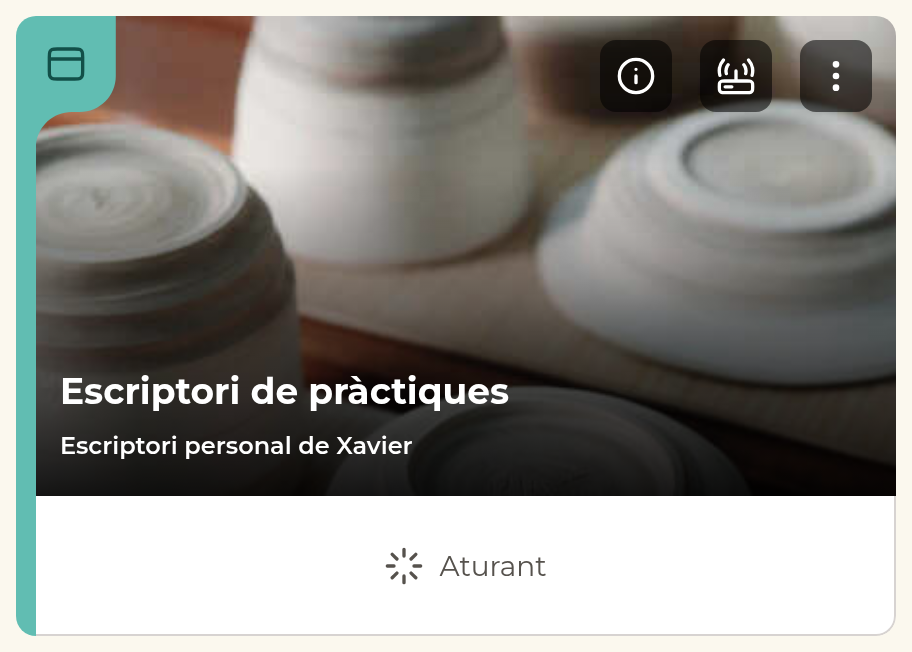
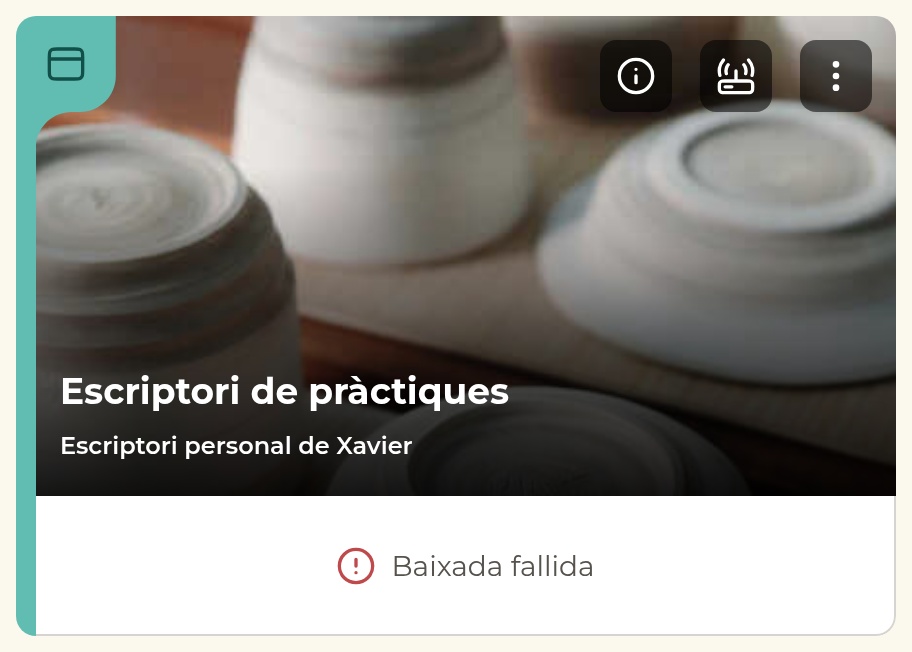
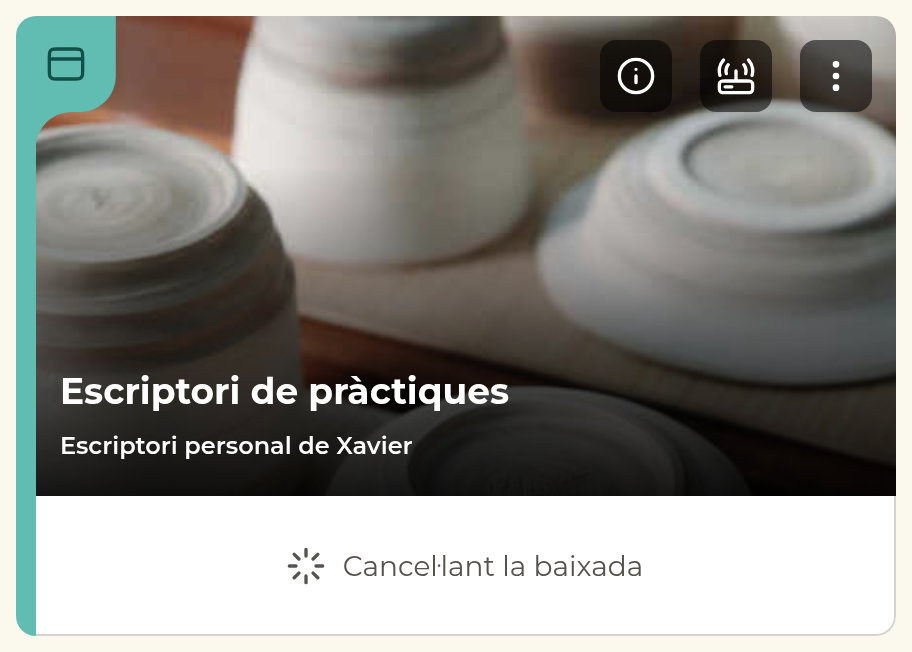
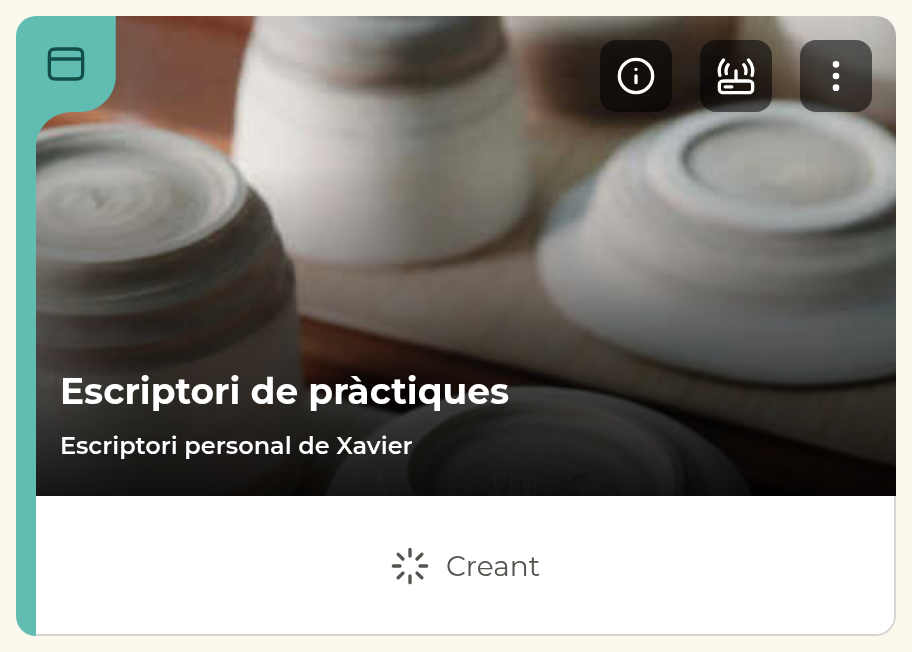
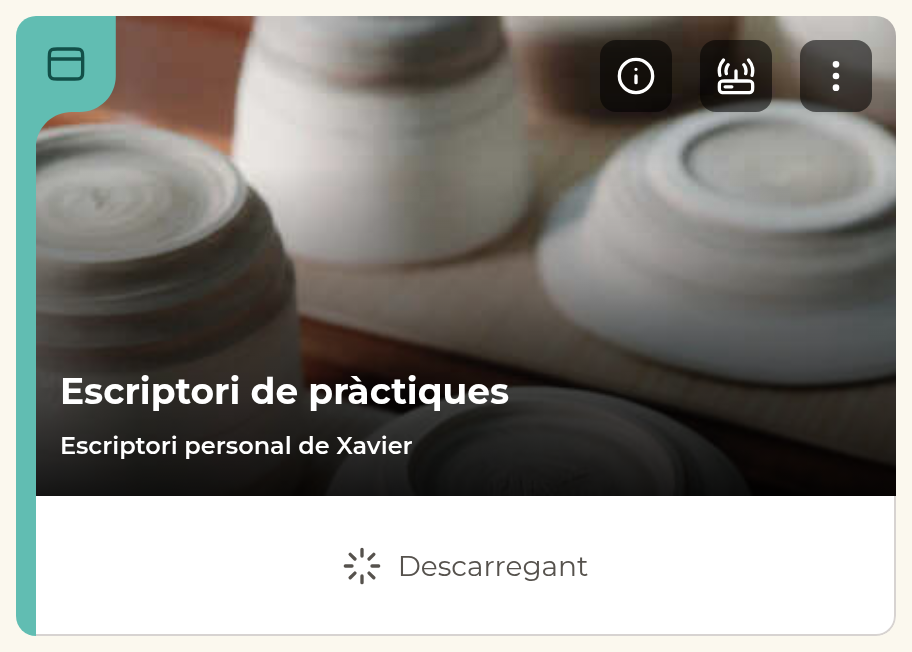
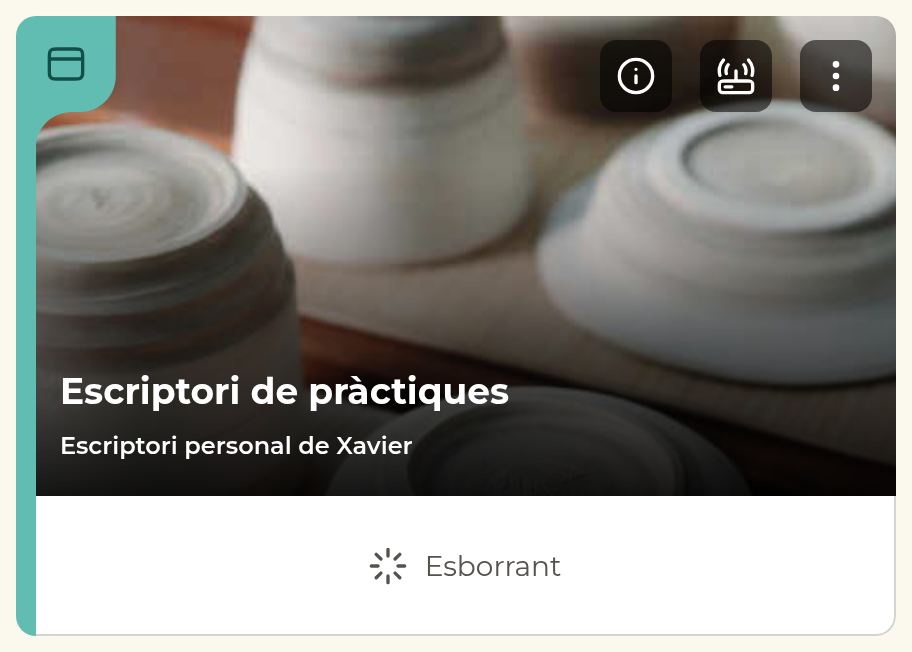
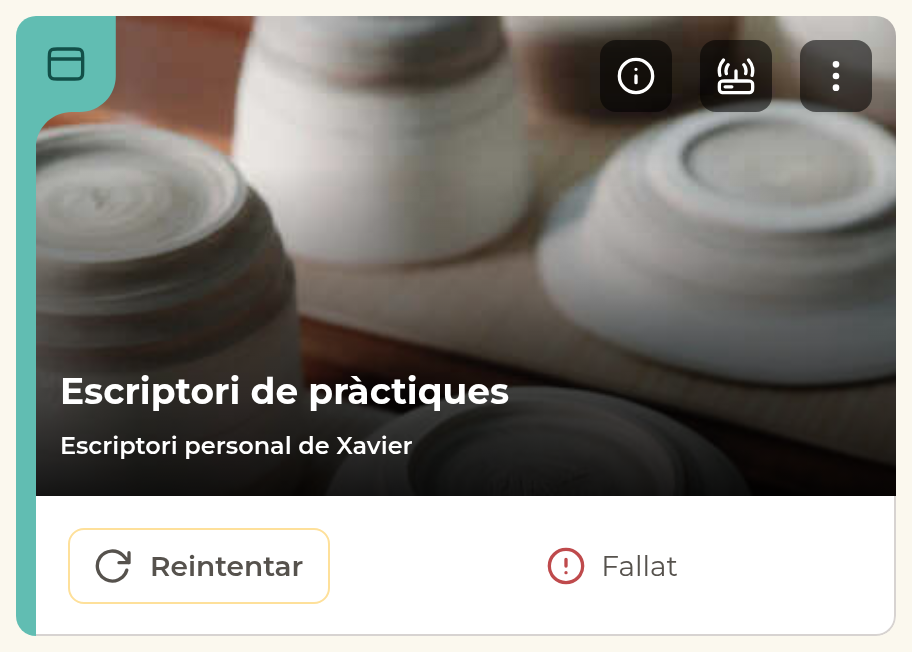
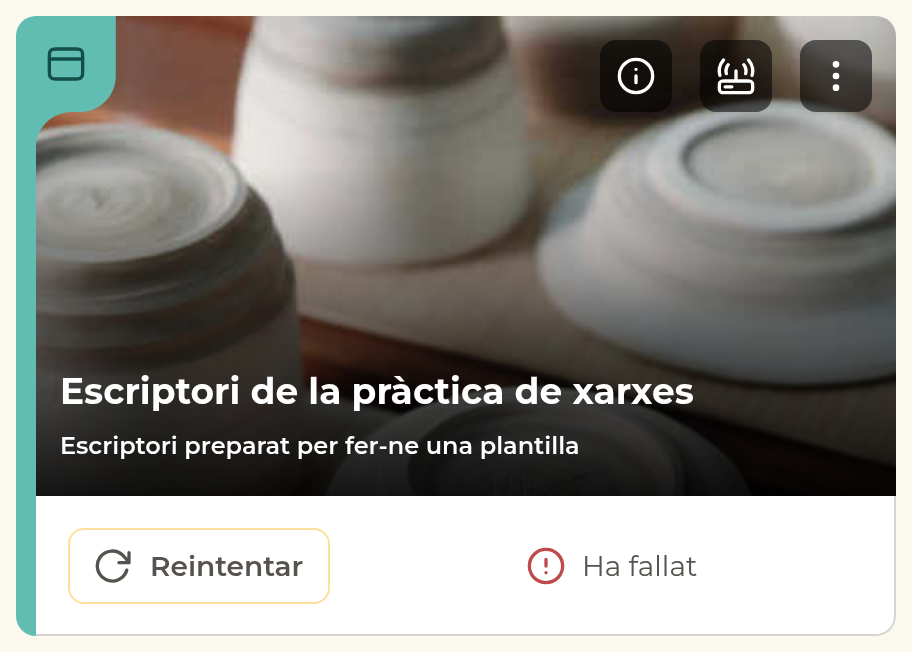
Each desktop shows on its card the state it is in. These are the states that can be seen:
-
Stopping
-
Stopped

-
Download failed
-
Aborting download
-
Creating
-
Downloading
-
Under maintenance

-
Deleting
-
Failed
-
Crashed
-
Starting

-
Started

-
Paused
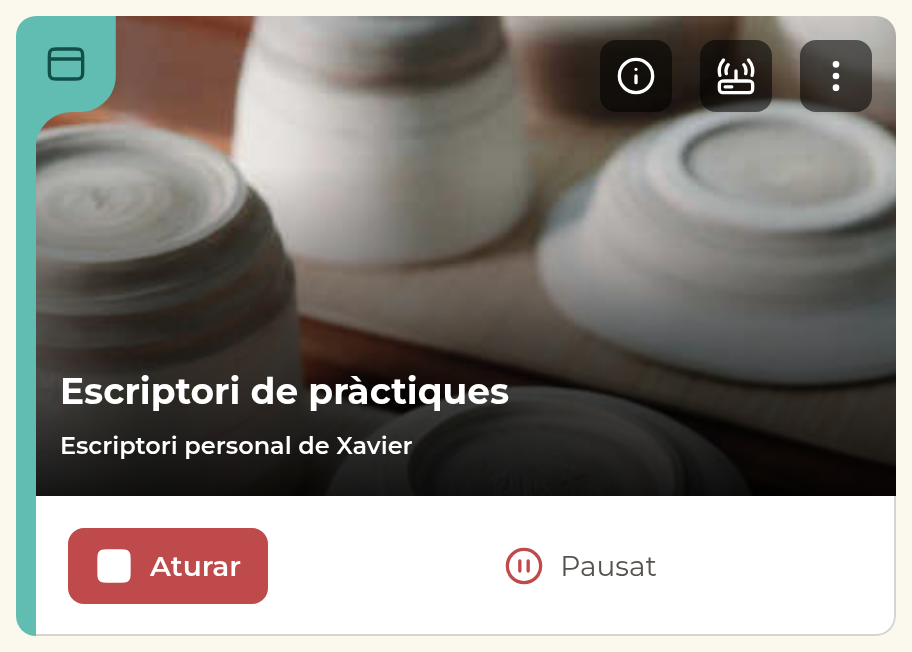
-
Processing
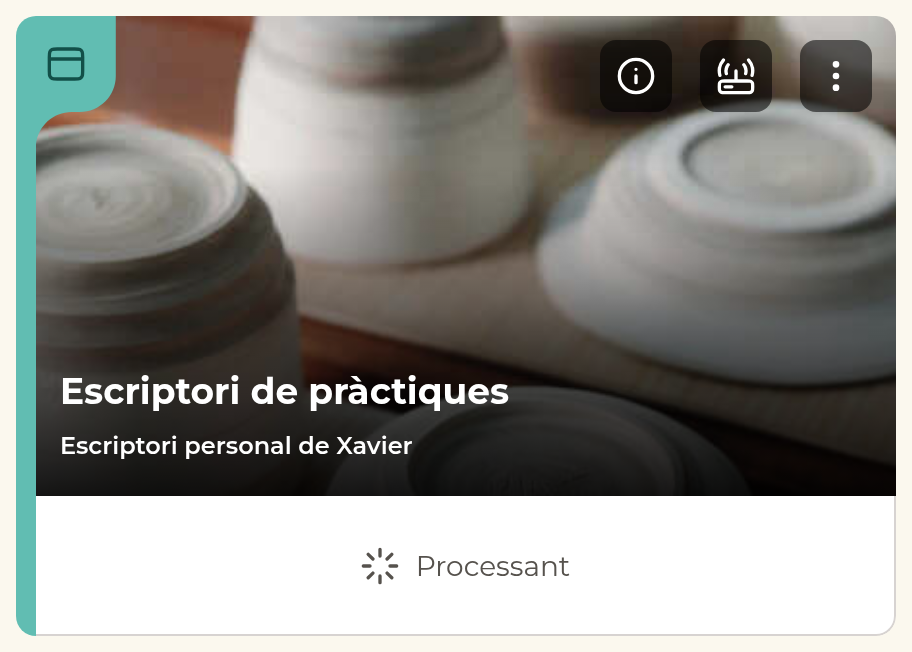
-
Resetting

-
Creating and Starting

-
Suspended
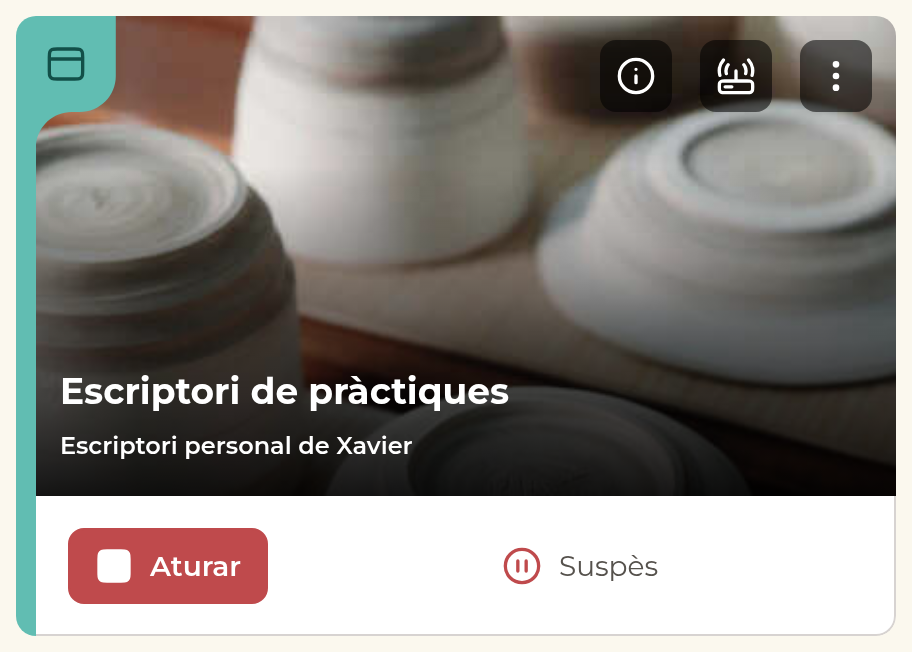
-
Temporarily unavailable
Manage desktops
In the classic interface, the status of each desktop appears in the main list with the corresponding labels and action buttons.
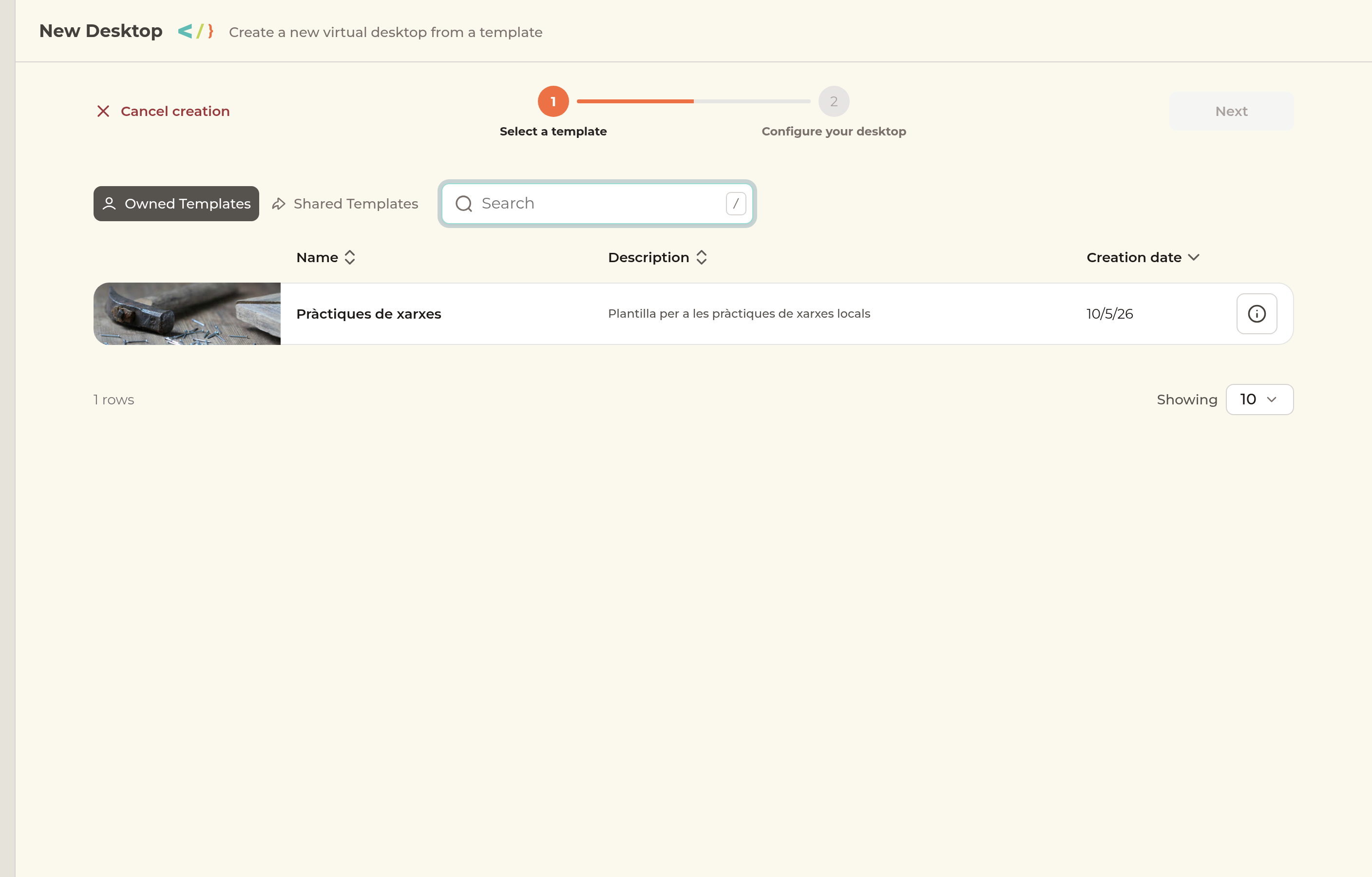
To create a new desktop from a template (see Create a desktop):
- Click New desktop.
- Select a template from the list and click Next.
- Fill in the Name and Description fields.
- Click Create desktop.
Conditions and messages
- The templates are split into the Owned Templates and Shared Templates tabs.
- Cancel creation stops the process.
- The list displays the Name, Description, and Creation date columns.
- The number of results can be adjusted with the Showing control.
Development details
For those who develop or integrate IsardVDI: where each element of this section is located in the code, since which version it has been available, which API operation it calls, and what messages it may return.
- New interface · file
views/DesktopsView.vue:1589· interface text (translation key)views.desktops.new-desktop- since v17.0.0 (2026-04-24,
f31b874d89) - on click:
goToNewDesktop - calls:
GET /api/v4/storage-pools/check-create-availability — Check storage pool creation availability - calls:
navigation to the «new-desktop» route
- since v17.0.0 (2026-04-24,
- New interface · file
views/DesktopsView.vue:1222· interface text (translation key)components.delete-confirmation-modal.cancel- since v17.0.0 (2026-04-24,
f31b874d89) - on click:
closeDeleteModal()
- since v17.0.0 (2026-04-24,
- New interface · file
views/DesktopsView.vue:1244· interface text (translation key)components.delete-confirmation-modal.confirm.permanent- since v17.0.0 (2026-04-24,
f31b874d89) - on click:
deleteDesktopMutate({ path: { desktop_id: deleteModalDesktopData.id }, query: { permanent: deleteIsPermanent } })
- since v17.0.0 (2026-04-24,
- New interface · file
views/DesktopsView.vue:1245· interface text (translation key)components.delete-confirmation-modal.confirm.recycle-bin- since v17.0.0 (2026-04-24,
f31b874d89) - on click:
deleteDesktopMutate({ path: { desktop_id: deleteModalDesktopData.id }, query: { permanent: deleteIsPermanent } })
- since v17.0.0 (2026-04-24,
- New interface · file
views/DesktopsView.vue:1334· interface text (translation key)components.not-enough-advanced-time-modal.cancel- since v17.0.0 (2026-04-24,
f31b874d89) - on click:
notEnoughAdvancedTimeModalDesktopData = null
- since v17.0.0 (2026-04-24,
- New interface · file
views/DesktopsView.vue:1136· interface text (translation key)components.desktops.storage-unavailable-modal.go-to-desktops- since v17.0.0 (2026-04-24,
f31b874d89) - on click:
showStorageUnavailableModal = false
- since v17.0.0 (2026-04-24,
- New interface · file
views/NewDesktopView.vue:220· interface text (translation key)components.desktops.quota-exceeded-modal.title- since v17.0.0 (2026-04-24,
f31b874d89)
- since v17.0.0 (2026-04-24,
- New interface · file
views/NewDesktopView.vue:221· interface text (translation key)components.desktops.quota-exceeded-modal.description- since v17.0.0 (2026-04-24,
f31b874d89)
- since v17.0.0 (2026-04-24,
- New interface · file
views/NewDesktopView.vue:222· interface text (translation key)components.desktops.quota-exceeded-modal.cancel- since v17.0.0 (2026-04-24,
f31b874d89)
- since v17.0.0 (2026-04-24,
- New interface · file
views/DesktopsView.vue:1130· interface text (translation key)components.desktops.storage-unavailable-modal.title- since v17.0.0 (2026-04-24,
f31b874d89)
- since v17.0.0 (2026-04-24,
- New interface · file
views/DesktopsView.vue:1131· interface text (translation key)components.desktops.storage-unavailable-modal.description- since v17.0.0 (2026-04-24,
f31b874d89)
- since v17.0.0 (2026-04-24,
- New interface · file
views/DesktopsView.vue:1136· interface text (translation key)components.desktops.storage-unavailable-modal.go-to-desktops- since v17.0.0 (2026-04-24,
f31b874d89) - on click:
showStorageUnavailableModal = false
- since v17.0.0 (2026-04-24,
Commit code fe99ad98.
Desktop connection check
Before allowing the connection, the system verifies the status of the virtual desktop's RDP service. This check ensures that the desktop has an IP address, that the RDP port responds, and that the credentials or security are valid according to the policy defined by the administrator.
You will see the following status messages during this process:
| What you see | What it means | What to do |
|---|---|---|
| «Waiting for the desktop to get an IP» | The desktop has not yet been assigned an IP address. | Wait until the desktop has an IP address to proceed. |
| «Waiting for the RDP service» | The system is checking the status of the RDP service (pending, waiting, or verifying). | Wait for the check to complete. |
| «Verifying the RDP credentials» | The system is checking the RDP credentials. | Wait for the verification to complete. |
| «The stored RDP credentials are not valid in the desktop» | The saved RDP credentials are not valid on the desktop. | Update the credentials. You cannot connect until you do. |
| «RDP available, credentials not verified — you may connect» | The RDP service is available, but the credentials could not be verified (no NLA or no saved credentials). | You can connect, although there is a security warning. |
| «The last RDP connection failed» | The last RDP connection failed. | You can try to connect again, but it is likely to fail again. |
| «RDP available with standard RDP security, without TLS or NLA: you may connect» | The RDP service is available with standard security (no TLS or NLA). | You can connect, although there is a security warning. |
| «the desktop has no stored RDP credentials» | The desktop has no saved RDP credentials. | You must provide the credentials to connect. |
If the verification fails or has not completed, you are blocked and cannot connect. In these cases, only the administrator and the manager of the desktop's category can open the RDP connection. The administrator may see additional internal codes in some error messages.
Storage management and disk expansion
Administrators, managers and advanced users can view the desktop disks from Advanced options and increase their size. Users with the user role do not have this option and do not see the disk data. The visible fields include «Format», «Disk ID», «Desktop», «Disk», «Virtual size» and «Actual size».
The size increase is only possible if the desktop is stopped and the disk is ready, and it is validated against the user's quota.
If errors occur during management or expansion, the following messages are displayed:
When expanding the size, you see «Increase size» and «Increase the disk space in GB».