External application management
External applications are managed from the administration panel.
- Click the
 button
Creating an external application
Roles with access
Only administrators have access to this feature.
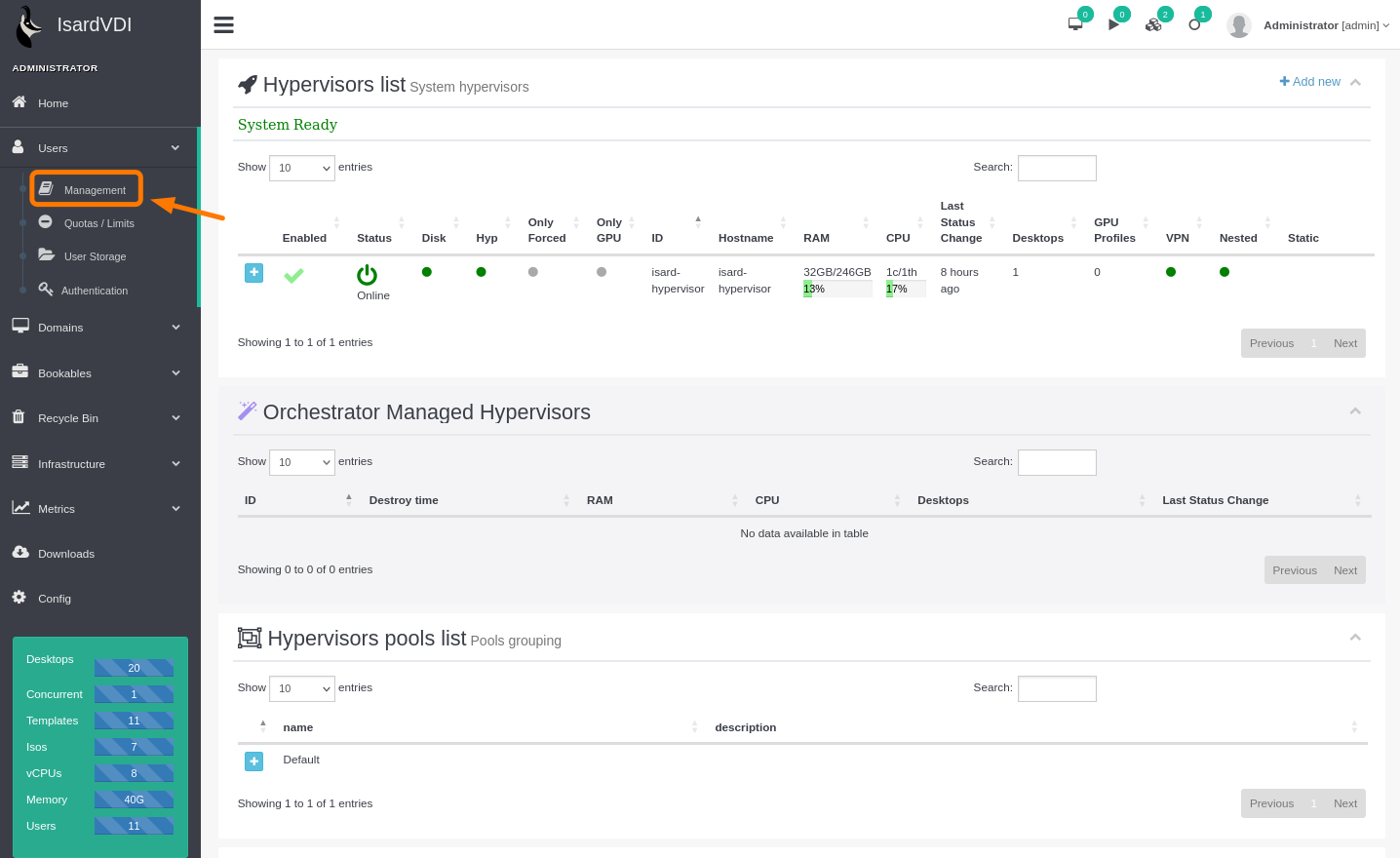
External applications are created in Administration → Users → Management, in the External apps table:

Click the add button of the table. The «Add new External app» window opens:
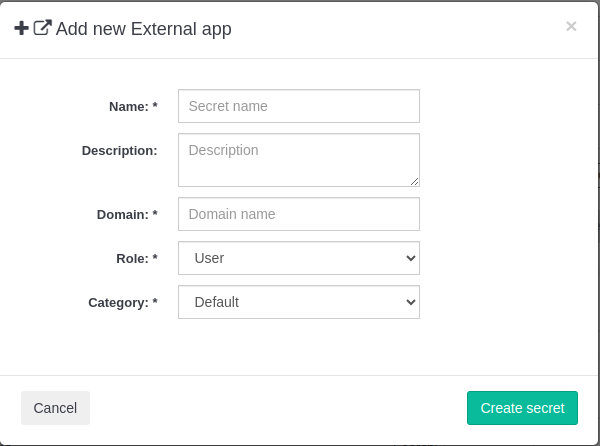
- Name (required): the name of the external application in IsardVDI.
- Description: a description of the external application.
- Domain (required): the domain of the external application.
- Category (required): the IsardVDI category the external application has permissions on.
Save with Create secret. The form has no role field: the external application always acts with the manager role within the chosen category, and that is what the role column of the table shows. The table also shows the key id and the secret the application uses to authenticate.
To delete an external application, click the red cross in its row and confirm in the «Delete external app» notice. The internal isardvdi and isardvdi-hypervisors entries cannot be deleted.
Once created, the external application can:
- Create users.
- Link existing IsardVDI users.
- Delete users.
- Generate user tokens.
By generating a user token, it can interact with the IsardVDI API as that user. See External application flow for more information on the available operations.