Login
Roles with access
Only administrators have access to this feature.
To access this section, click the last button of the drop-down menu 
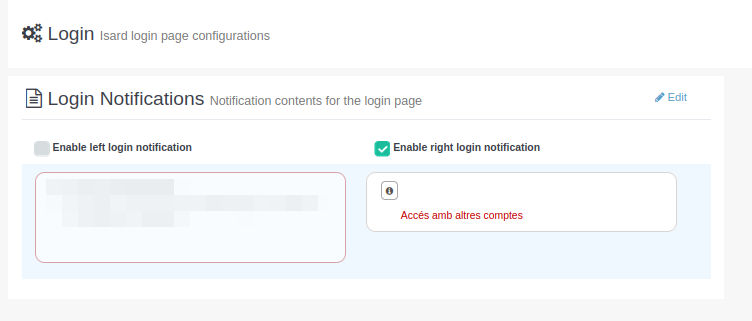
This section (Login, Login Notifications panel) lets you show two notices on the login page:
- Enable left login notification: shows a notice in the left area of the login page, over the cover image (Left login area).
- Enable right login notification: shows a notice in the right area, above the login form (Right login area).
To edit their content, click Edit and this window opens:
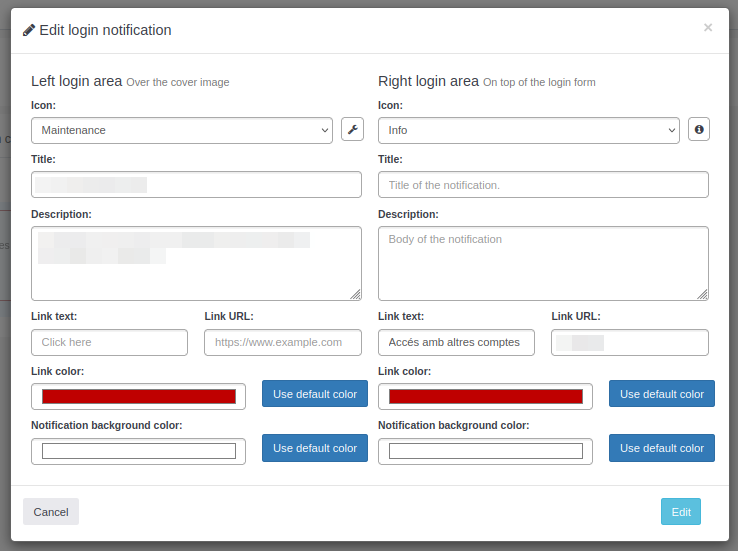
For each area you can define:
- Icon: None, Info, Warning or Maintenance.
- Title and Description.
- Link text and Link URL: a text with a link and the address it leads to.
- Link color and Notification background color: the color of the link and of the notice background.
What the user sees
The enabled notices are seen by any visitor of the login page, before they identify themselves. A category can have its own notices (see Multitenancy), which are shown on the same page when it is accessed through the category. The user's journey is described in Login.
The login page supports other options, such as hiding the «Forgot password?» link (see Recover the password), the category selector, the language selector or the logo, but these options cannot be changed from this administration section.