Bookable events
Roles with access
Only administrators see this page (Bookables → Events). Managers have no access to it.
Events
This page shows the GPU plans, the bookings and the scheduled tasks that depend on them.
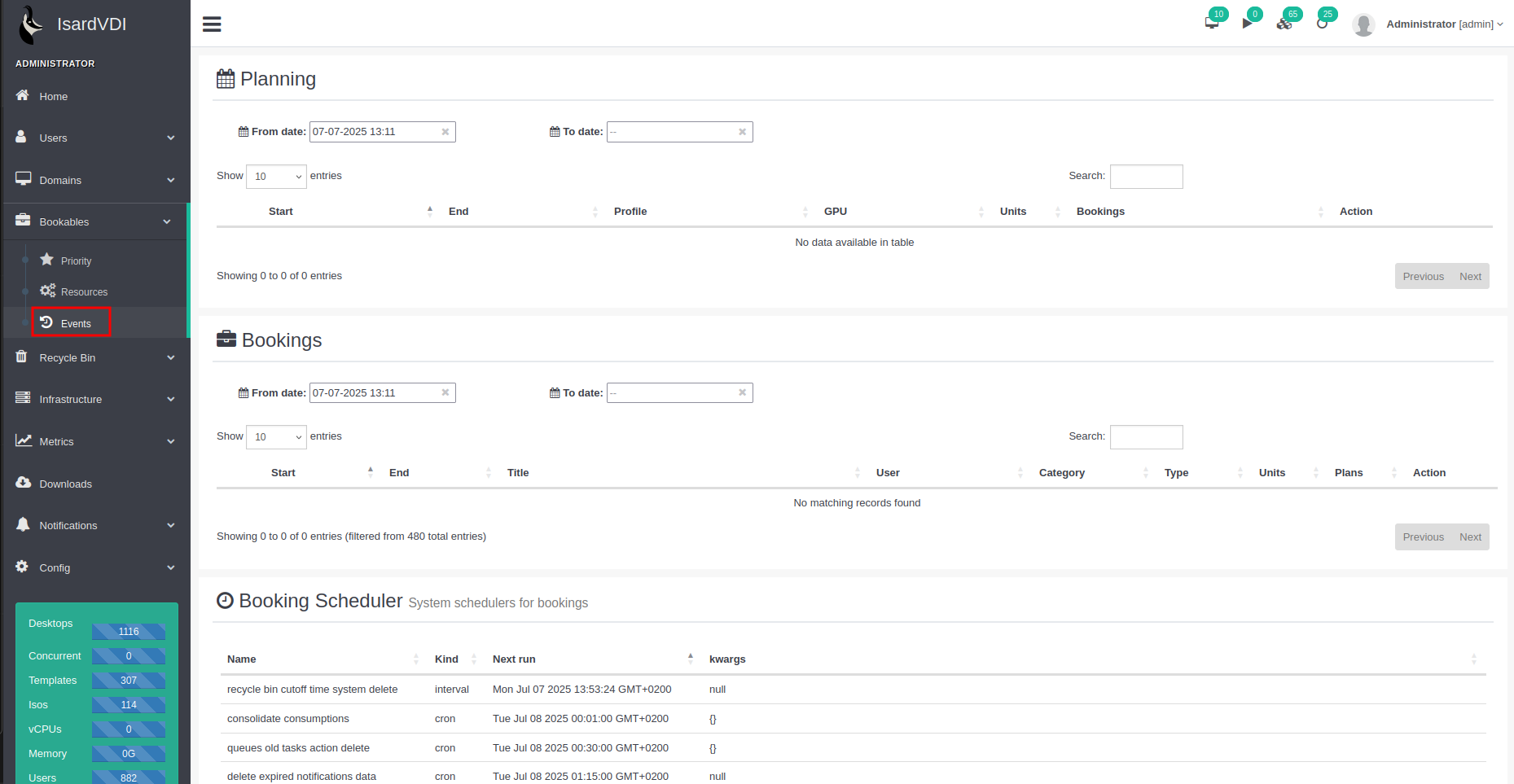
Planning
The Planning table lists the GPU plans. It can be filtered by date and time to see the ones for a given period. The columns are Start, End, Profile, GPU, Units, Bookings and Action.

The Action column has two buttons:
- Empty: deletes all the bookings in the plan, after confirmation («Are you sure you want to clear all the bookings in this plan?»). The plan is kept.
- Delete: deletes the plan and its bookings, after confirmation («Are you sure you want to delete this plan?»).
Bookings
The Bookings table shows the bookings, which can be filtered by date and time. The columns are Start, End, Title, User, Category, Type, Units, Plans and Action.

Clicking the  button opens a dialog showing which plan this booking was made with:
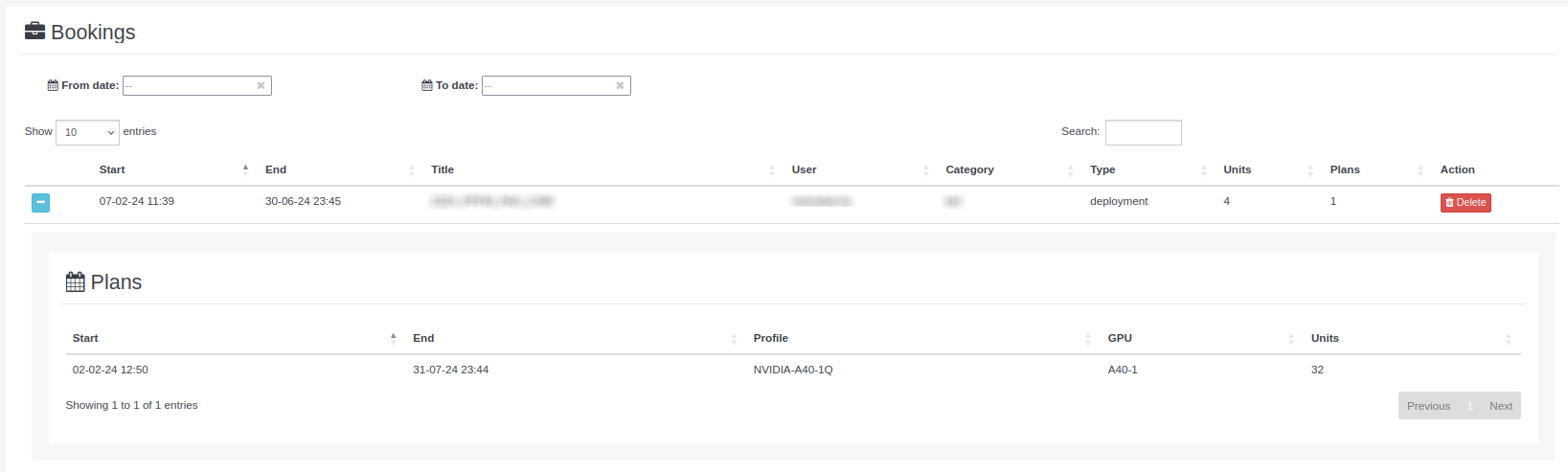
The Delete button in the Action column deletes the booking, after confirmation («Are you sure you want to delete this booking?»).
Booking Scheduler
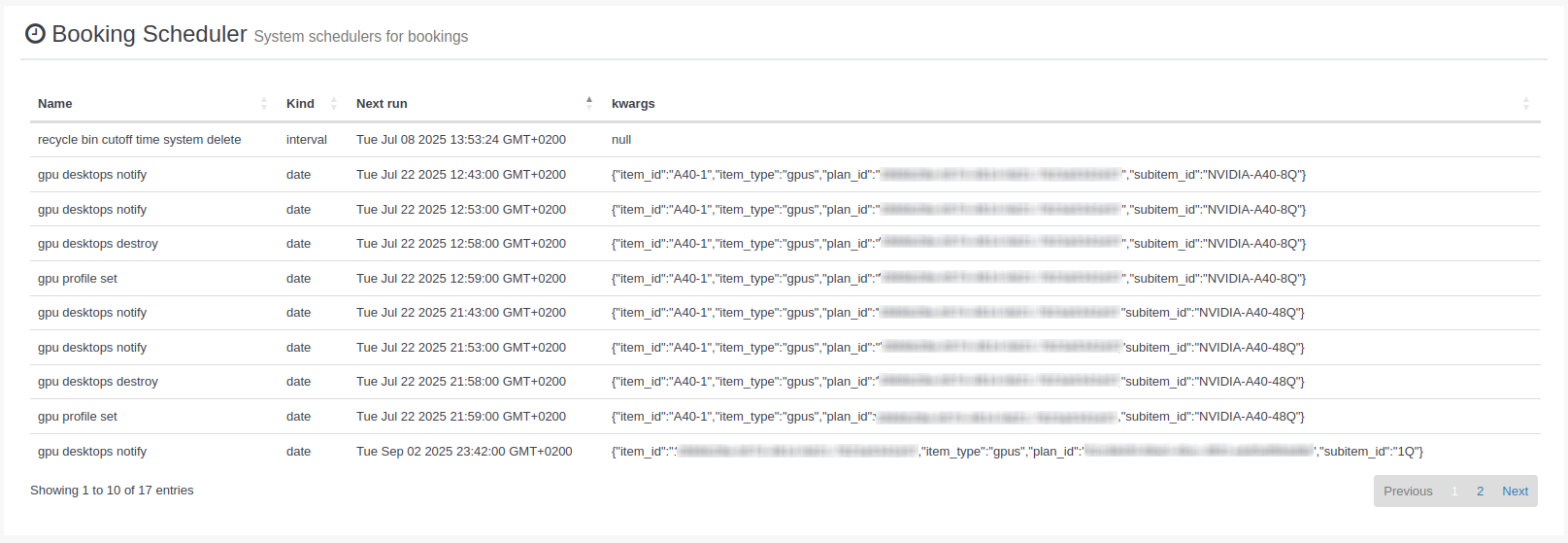
The Booking Scheduler table shows the system's scheduled tasks related to GPU bookings (for example, enabling a profile, removing it or notifying users), with the name (Name), the type (Kind), the next run (Next run) and the parameters (kwargs).
What the user sees
When a booking, or a plan with bookings, is deleted, the user no longer sees it in their bookings and, if they have no other booking, can no longer use the GPU in that time slot.