User logs configuration
Roles with access
Only administrators have access to this feature.
Configuration
This page provides configuration options for user logs.
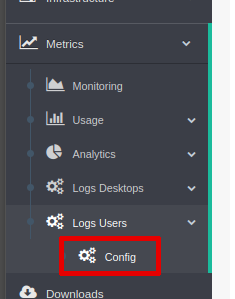
To open it, click Config, under the section you are in:
Old logs
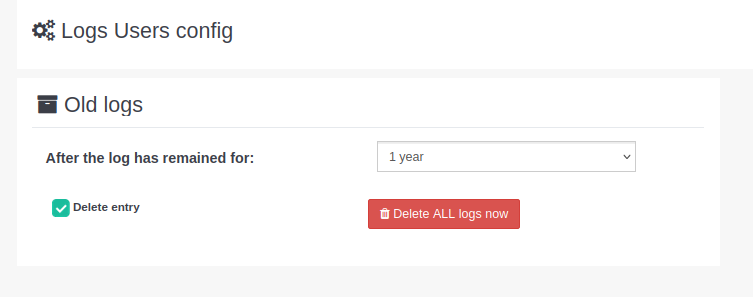
In this section, you can configure the automatic deletion of logs older than a given age. This process runs daily at 00:30 UTC.
Set the action for old log entries
In the Old logs section, the After the log has remained for: dropdown sets the age, from 1 day to 2 years, after which action is taken on user logs. If the Delete entry checkbox is selected, entries older than this age are deleted automatically; if it is cleared, no action is applied. Changes are saved as soon as they are made.
Delete all user logs
The Delete ALL logs now button immediately deletes all user logs. It asks for confirmation first («Are you sure you want to delete all logs data?»): the action cannot be undone and may use a lot of resources.